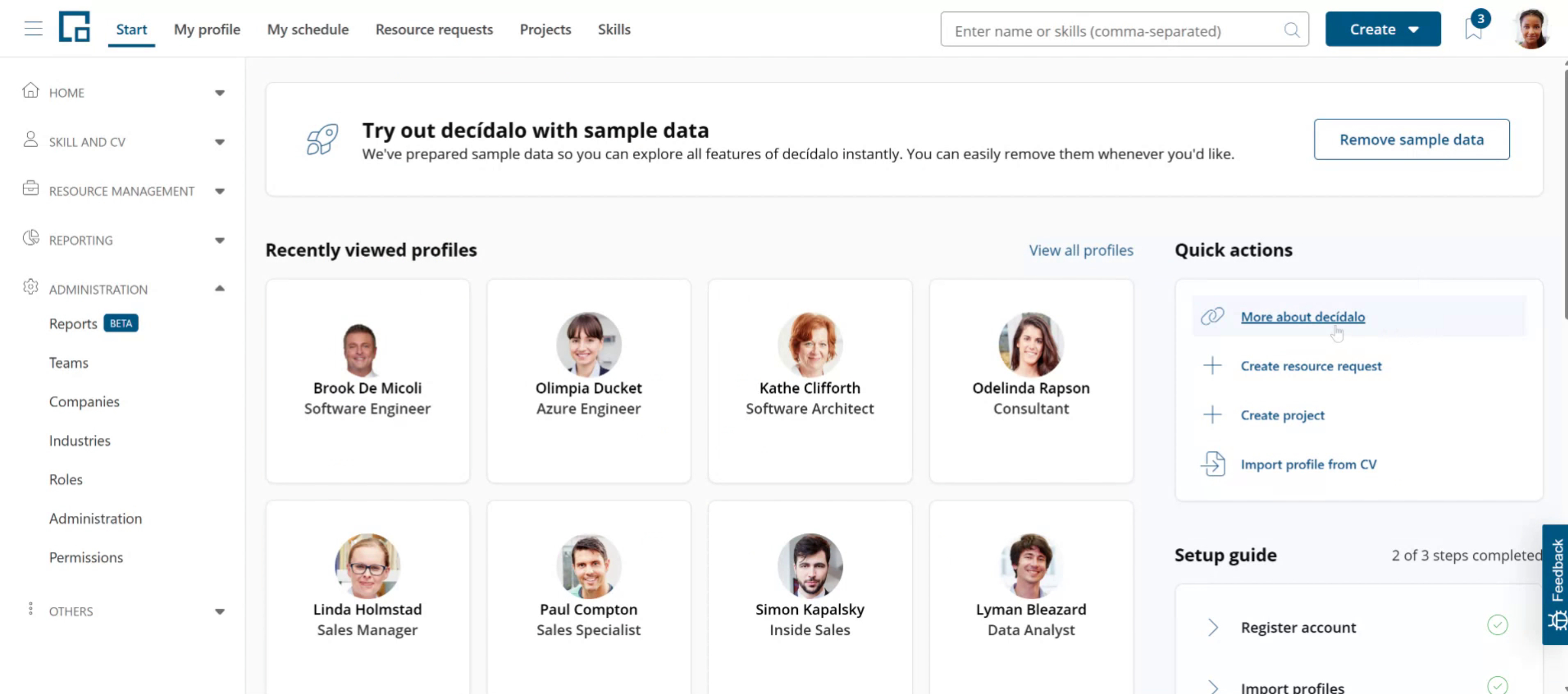
Customizing Quick Actions
This guide walks you through how to customize the "Quick actions" section on the decídalo Start page. As an administrator, you can add links to additional information or hide default shortcuts that are not needed.
Customizing quick actions
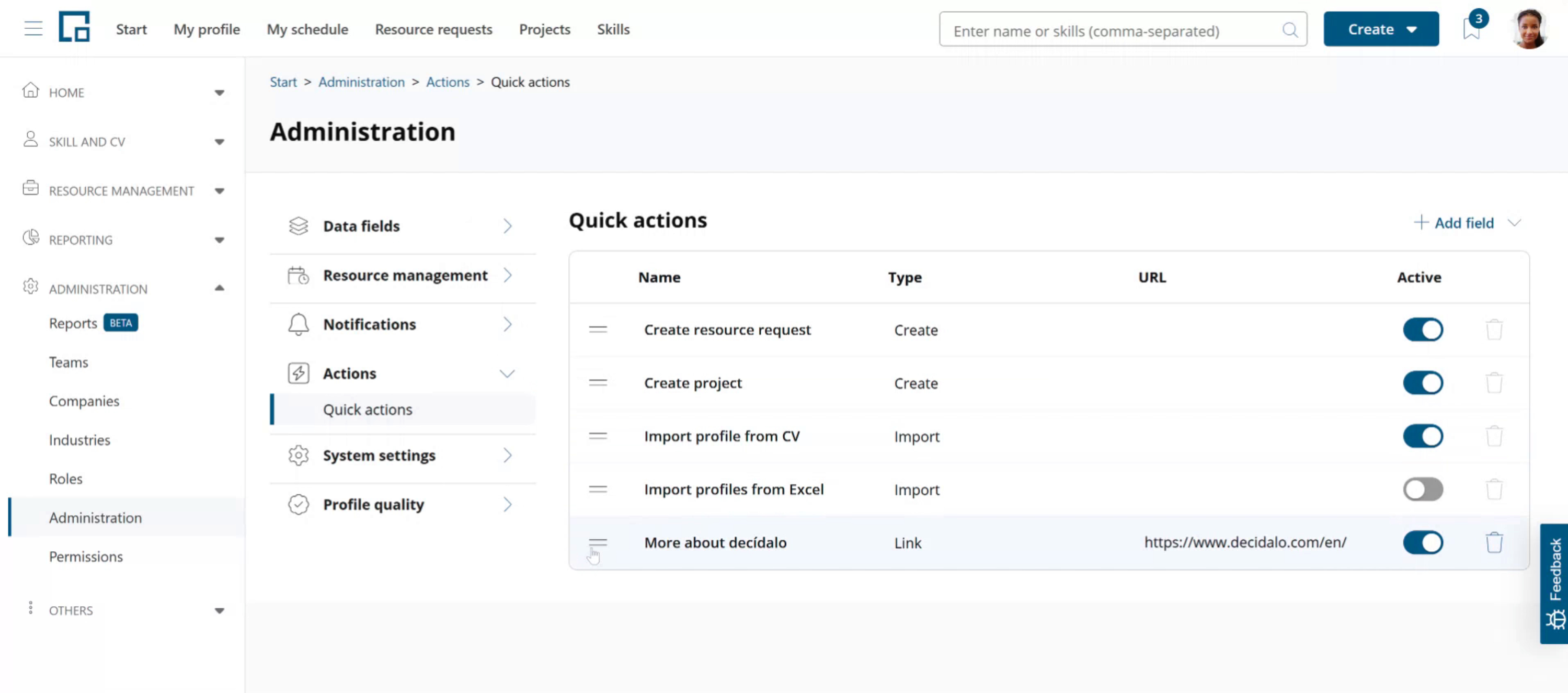
On the decídalo homepage, there's a 'Quick Actions' section where you'll see shortcuts for fast access. The default shortcuts are pre-configured. If you're an administrator, you can customize these. 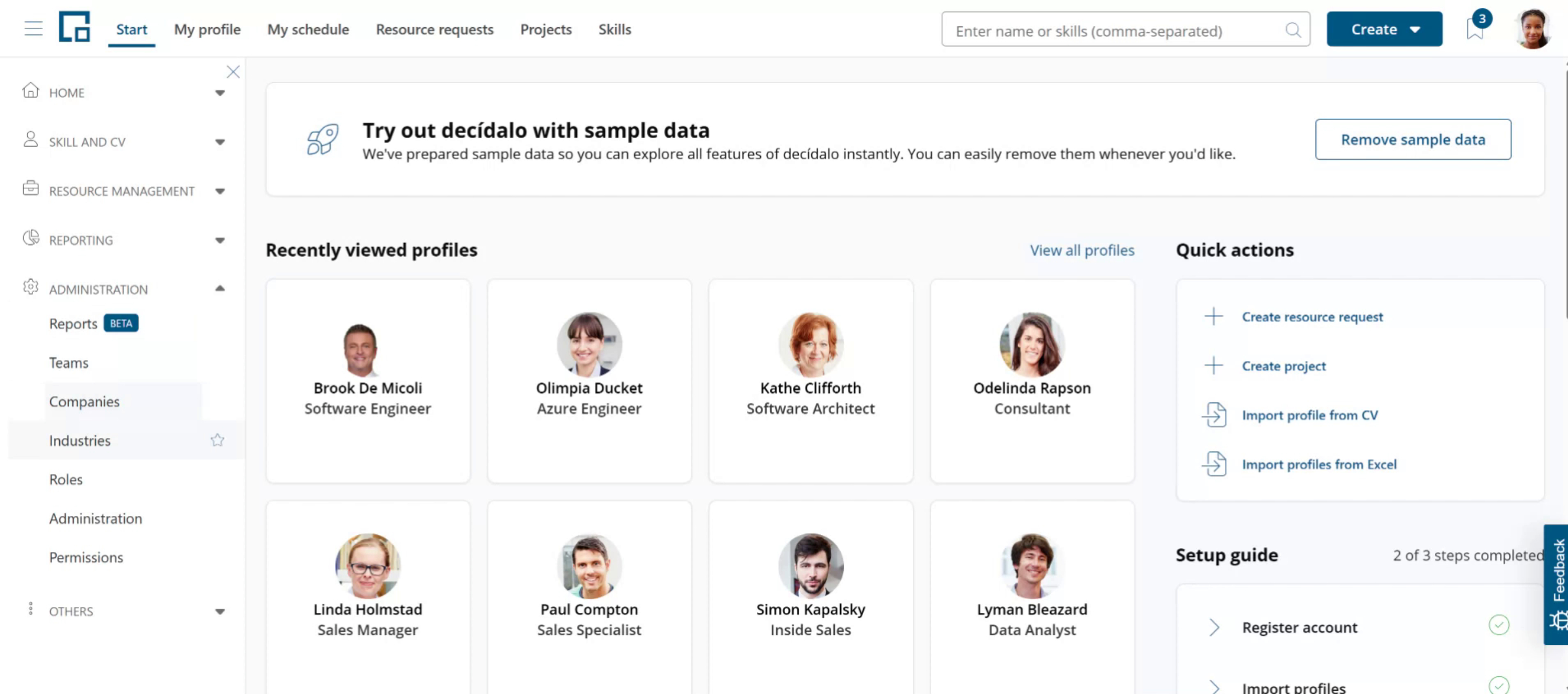 Go to the 'Administration' menu, head over to the 'Actions' section, and click on 'Quick Actions'.
You'll see the list of default actions. You can choose to hide any of them or change the order. For example, if you don't need the option to upload profiles from Excel, just uncheck it.
Adding quick actions
You can also add new actions as links to external or internal pages.
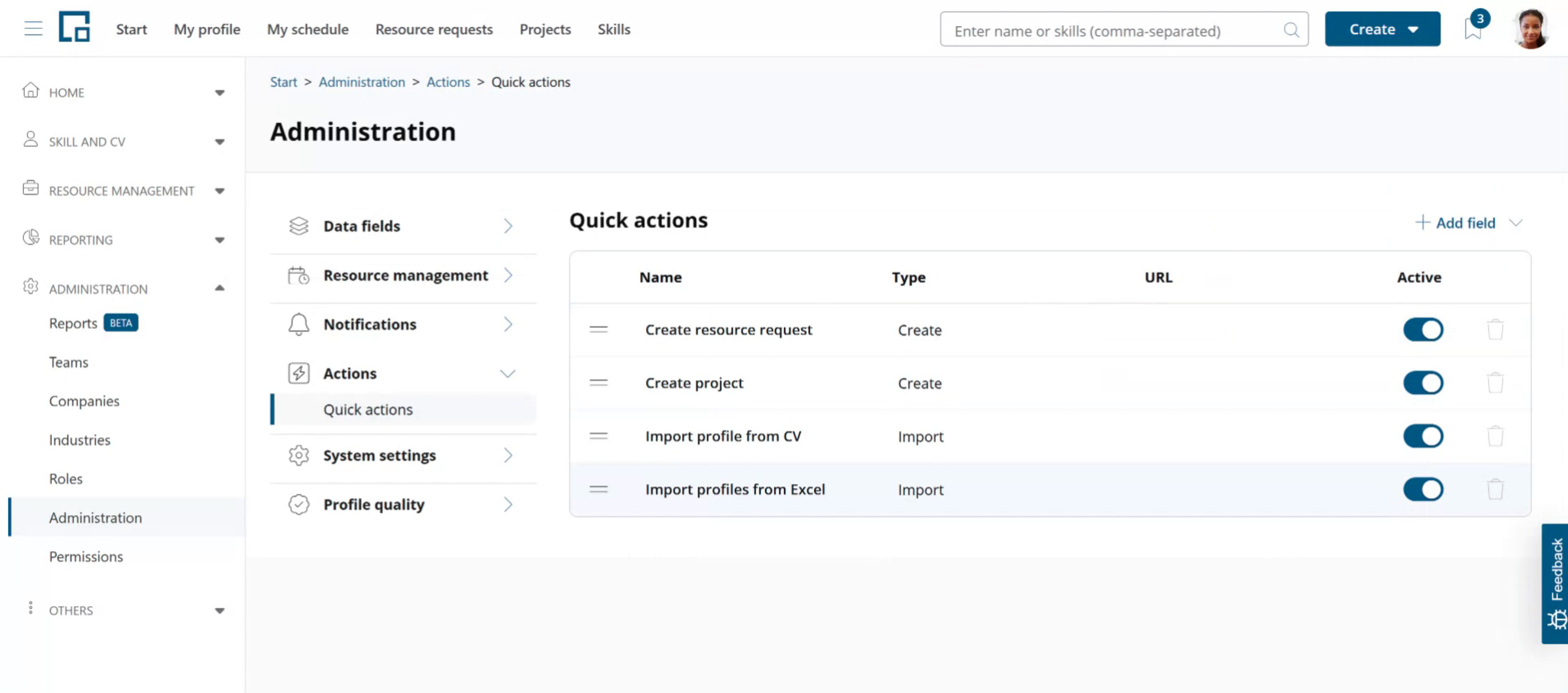 To do this click on "Add field" and select the Link option.
The options "Create" and "Import" are already added by default. You only need to use them if you want to rename a default option. For this, hide the default option and add the same action with a new name again.
In the popup enter the name to be shown in the quick actions and a URL. Click Add.
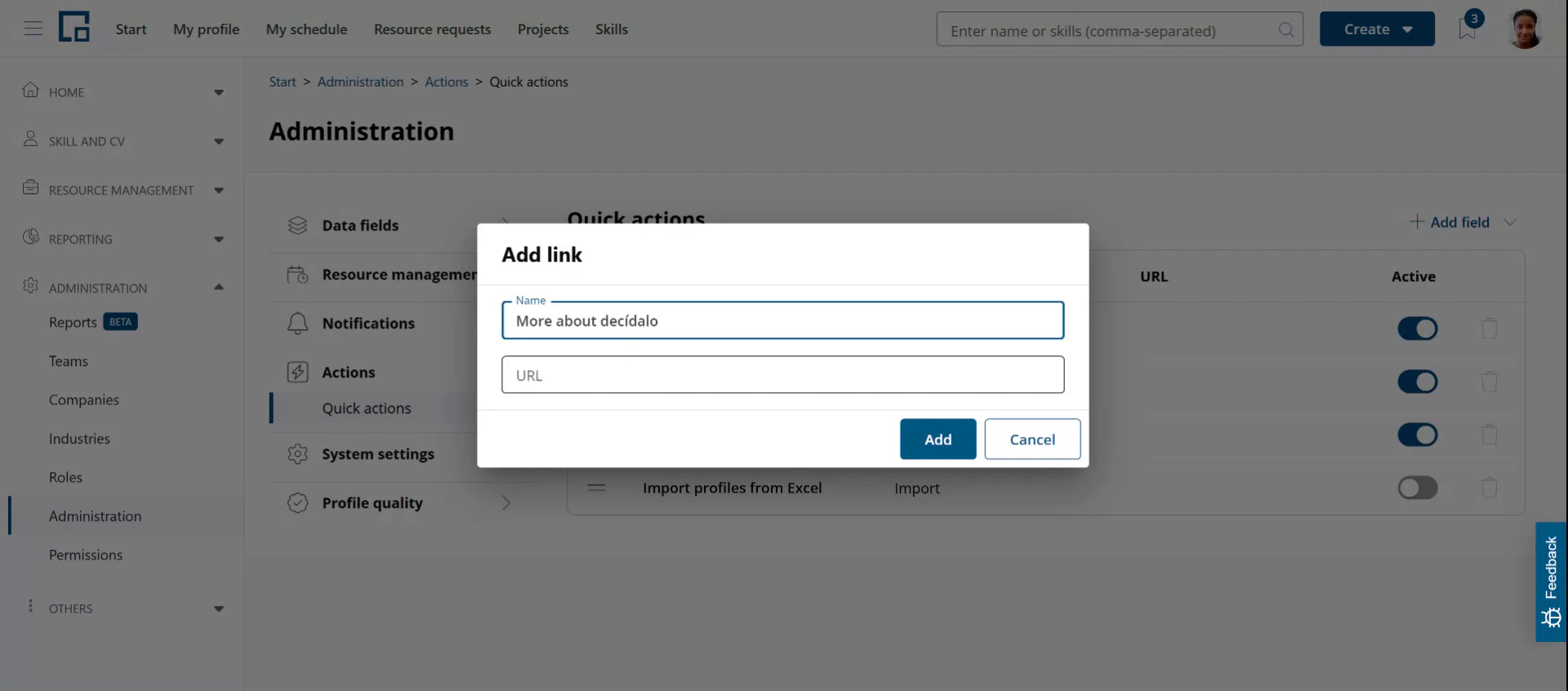 Your link is added at the bottom of the list. You can change its position by using the drag handle in front of the name. Just drag and drop it to the position where you want it to be shown.
Checking the results
Go back to the homepage. Your new link will show in the quick actions where you positioned it. If you have hidden default actions, these will no longer be visible.