Changing Your Password in decídalo
This article only applies for local logins with user name and password. If your log in with has single sign-on (sso) changing your password in decídalo has no effect.
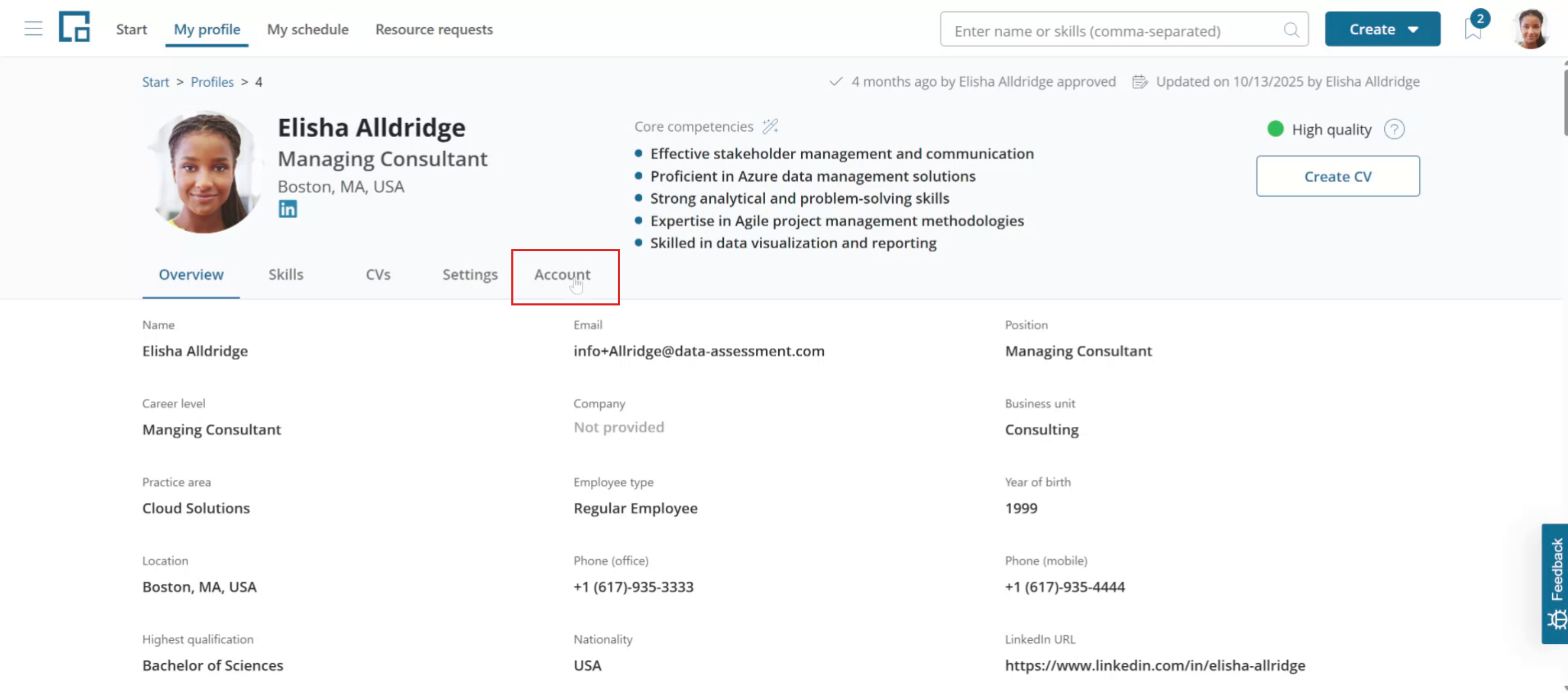
Open the Accounts tab on your profile
Begin by accessing your profile. Select the "My Profile" menu item and proceed to the "Accounts" tab.
Change your password
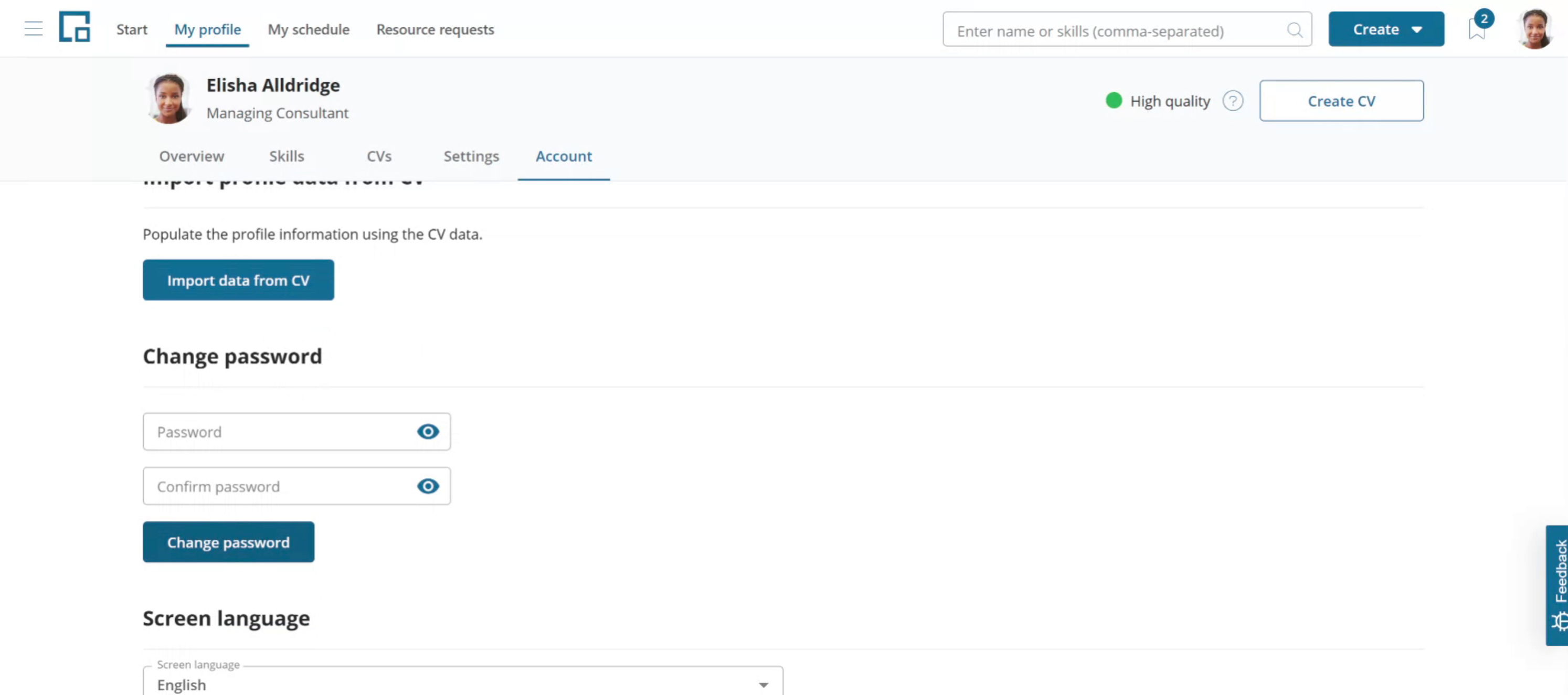
Scroll down to find the "Change Password" section. Enter your new password, confirm it, and click on "Save Changes." Please be aware that if your organization has enabled single sign-on, you will not be able to change your password using this method.
For more information about administrative tasks, see Administration.