Single Sign On (SSO)
Microsoft Identity Provider
This section will explain the details to setup SSO in decídalo with the Microsoft Identity Provider.
Prerequisites
Access to the Microsoft Admin Portal is inevitable to setup the SSO.
Setup
- Request a URL from the decídalo team with your own company prefix, like ‘https://example.decídalo.app’.
- The Microsoft admin needs to login into decídalo via the provided URL to ensure the redirection to the correct Microsoft Identity Provider.
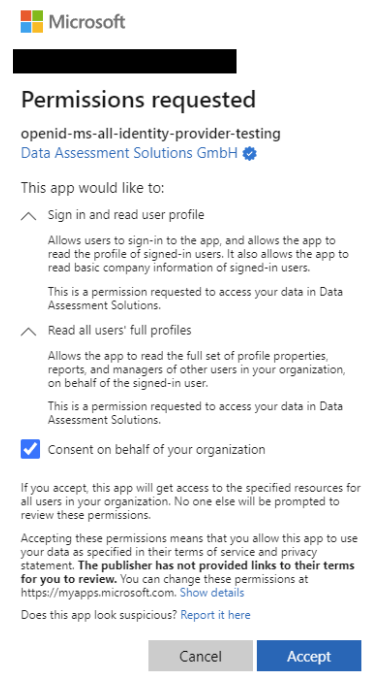
- Login into Microsoft with your credentials and enable the permission to use decídalo.
- By checking the box “Consent on behalf of your organization, you will enable the permission to use decídalo for all employees of your company. The screenshot uses a test application; the real name should be decídalo (Application ID: e425c050-153c-4fbf-8633-5b9114906744).
- If the permissions are insufficient, the pop-up will look like this:
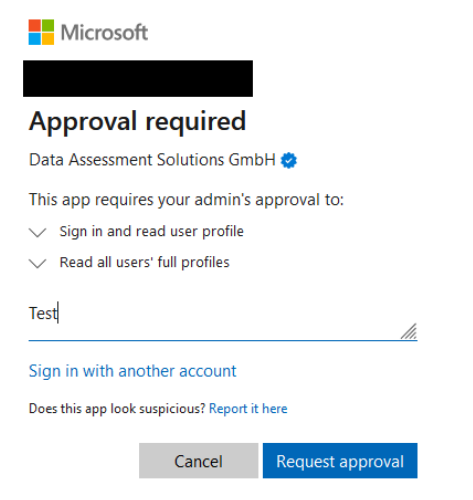 This allows the relevant permissions to be requested and subsequently granted in the Microsoft Entra portal.
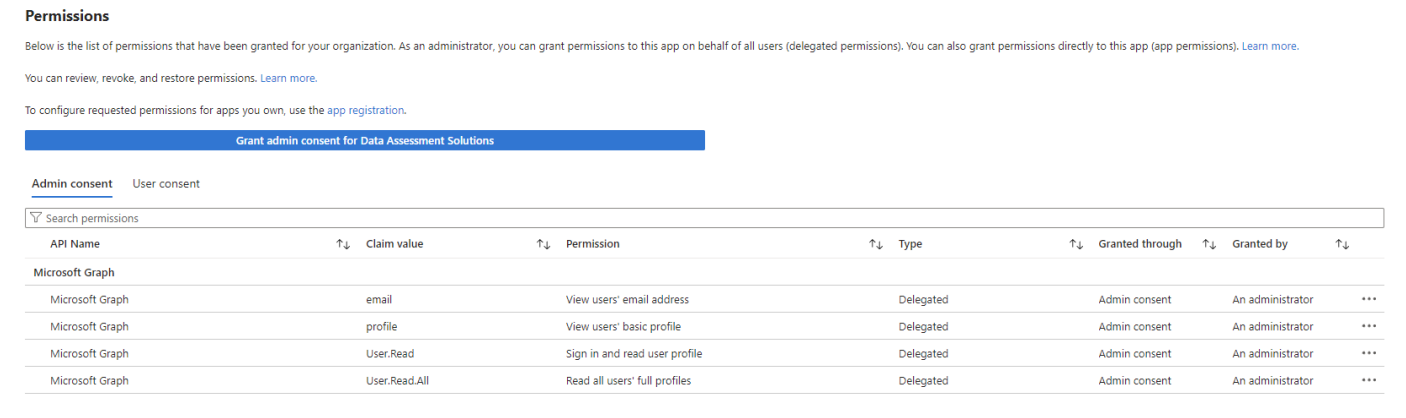
 - Now you should be redirected to the start page of decídalo. The permissions can now be granted in Microsoft Entra.
For more information about administrative tasks, see Administration.