The decídalo Skills Concept
With version 3 of decídalo, we made a radical change. We replaced the skills catalog with a Large Language Model (LLM). But the skill catalog is not completely gone. Some use cases still require custom skill lists. This section introduces the concept of skills within decídalo.
What is a skill catalog?
A skills catalog is the list of all skills that are relevant for a company. In practice, 90% of a skill catalog consists of products, technologies, or tools. To organize them and give each skill some context, they are grouped into categories and sub-categories.
Resource Management in Professional Services firms requires detailed skill information. Companies must be able to find experts for specific tool, sometimes down to the level of modules or product versions. This results in huge skills catalogs with thousands of entries. Manually maintaining such skill catalogs is not practicable.
Luckily, with the advent of large language models and generative AI most tasks involved in maintaining a skills catalog are now automated in decídalo.
Core skills and specific skills
Some use cases like reporting, planning, or employee development require a more high-level view on skills. These use cases often come from the Human Resources (HR) domain. These high-level skills are company specific and usually there are between 50 and 200 of them. In decídalo we call the core skills. While all other skills are called specific skills (or just skills).
Core skills are manually maintained, often by the HR team. Specific skills can be added by any user. They are created when CVs are uploaded, profiles are imported from LinkedIn, employees update their profile or projects require specific skills.
Specific skills are AI managed by. decídalo's AI services validate any added skill, corrects typos, detects synonyms, prevents duplicates, and looks up the official names for product skills, and translates skills that are not products. AI automatically maps specific skills to related core skills.
The picture below explains the decídalo skills concepts using example for core and specific skills.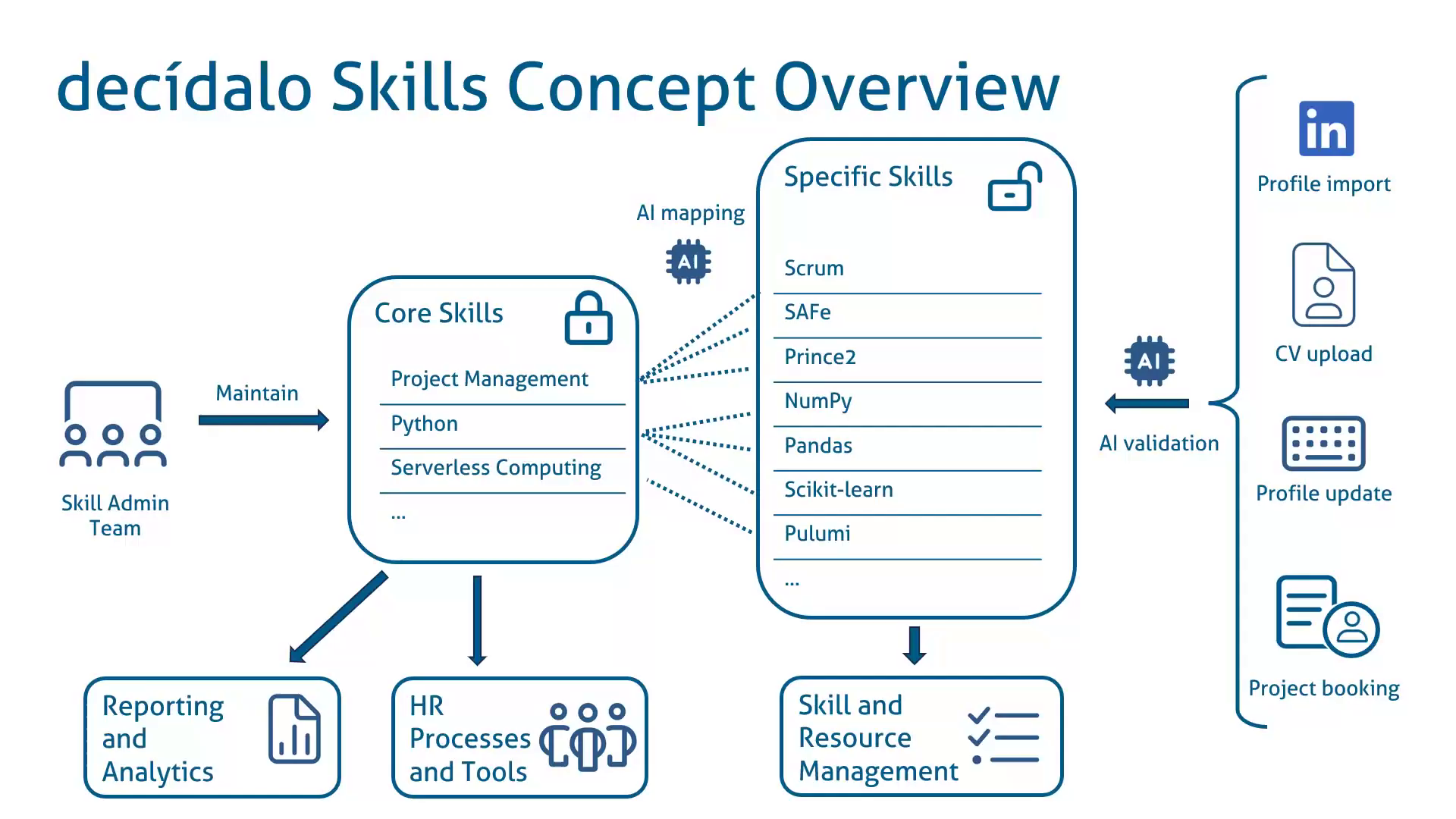
The skill catalog in decídalo
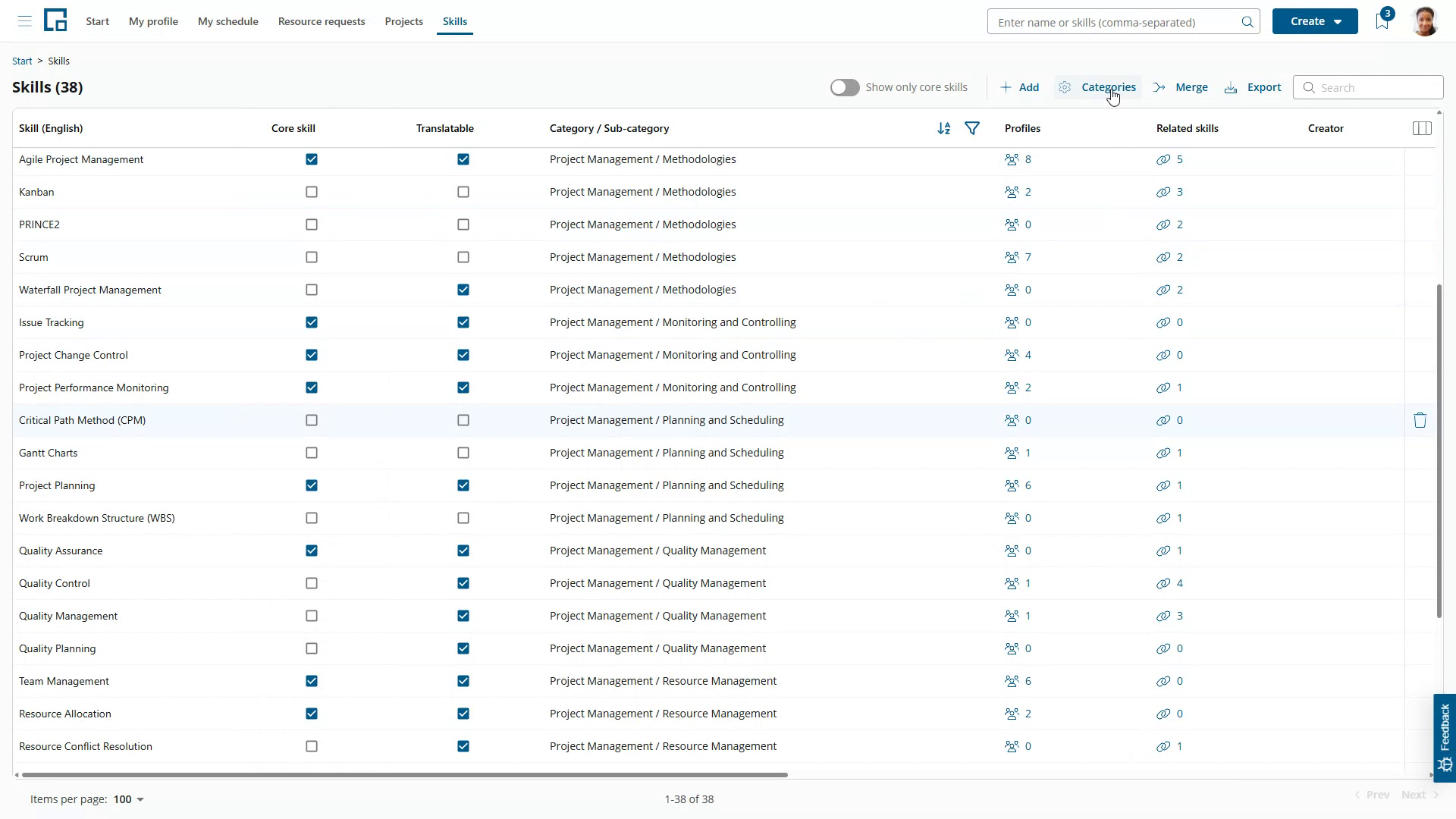
In decídalo, skills are managed on the skills page, accessible via the skills menu.
Skill categories and sub-categories
Skills are organized into skill categories and sub-categories.
decídalo provides a predefined list of skill categories, which can be customized by each organization to meet its unique requirements. Categories can have sub-categories, serving primarily to organize skills and provide additional context. For instance, on a CV, skills may be grouped into categories or subcategories.
Click the Categories button on the Skills page to open die categories editor.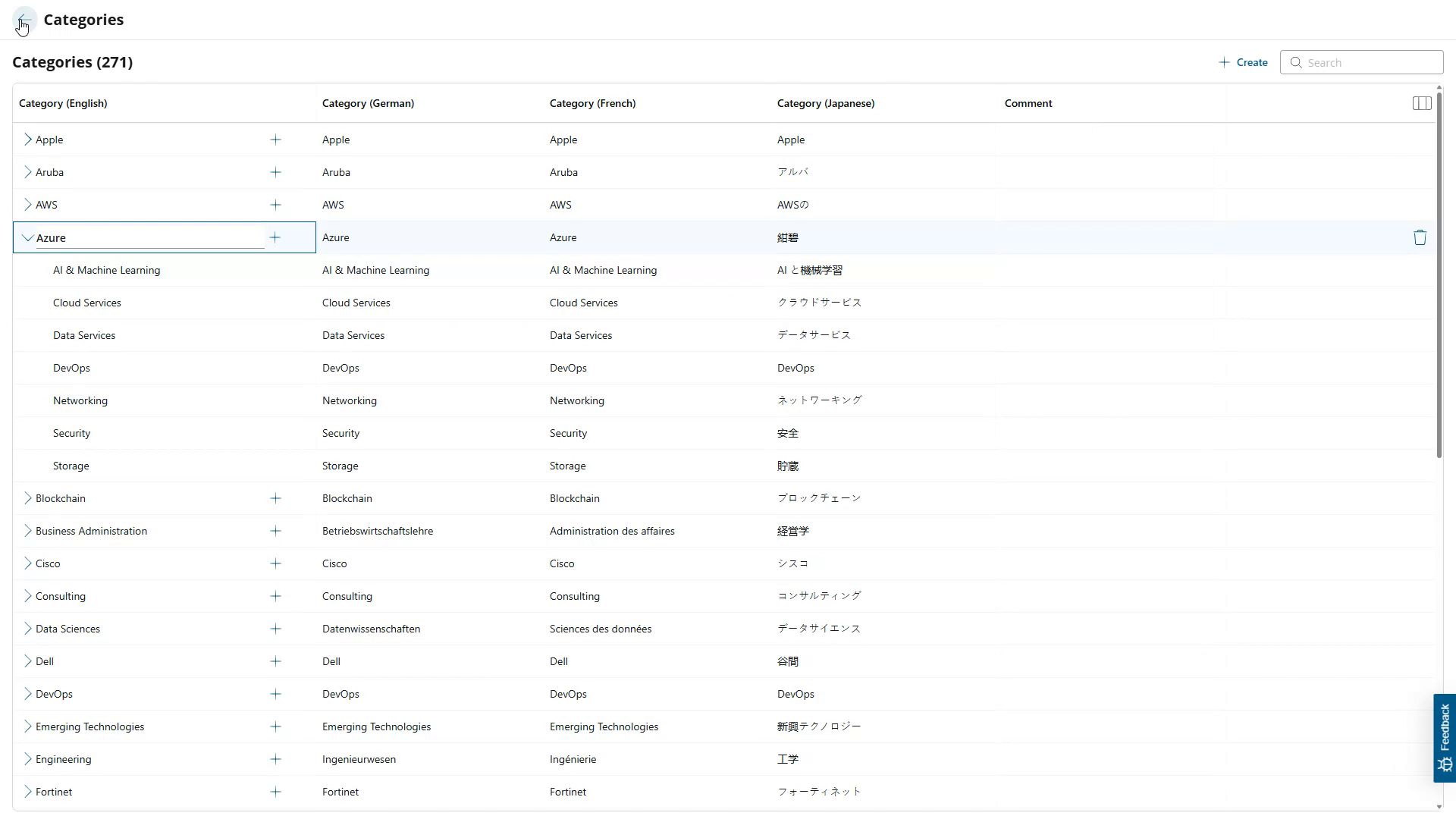 To expand the sub-categories, click the arrow-icon in front of a category.
Existing categories can be edited via inline-editing, categories, and sub-categories can be added or removed on the categories editor.
Added categories are automatically translated into the supported screen languages.
Click the left arrow on the top of the page to close the categories editor and return to the skills page.
Editing skills
All skills are listed in the grid on the skills page. Use the column filters to filter the displayed skill set. If you only want to edit core skills, switch on the "Show only core skills" toggle.
Skills can be added via the add button. Skills added on the skills page are by default market as core skills. You can manually uncheck the core skills checkbox afterwards. However, there is no need to add specific skills on the Skills page. These can be added directly from profiles or wherever and whenever they are needed in the application.
When a new skill is added, it is automatically assigned to a category, as the AI determines the most appropriate category for any new skill. The system also assesses whether the skill is translatable. Tools or products, for instance, are not translatable. When a translatable skill is added it is automatically translated into the supported screen languages. Scroll to the left to see further columns, including the skill translations.
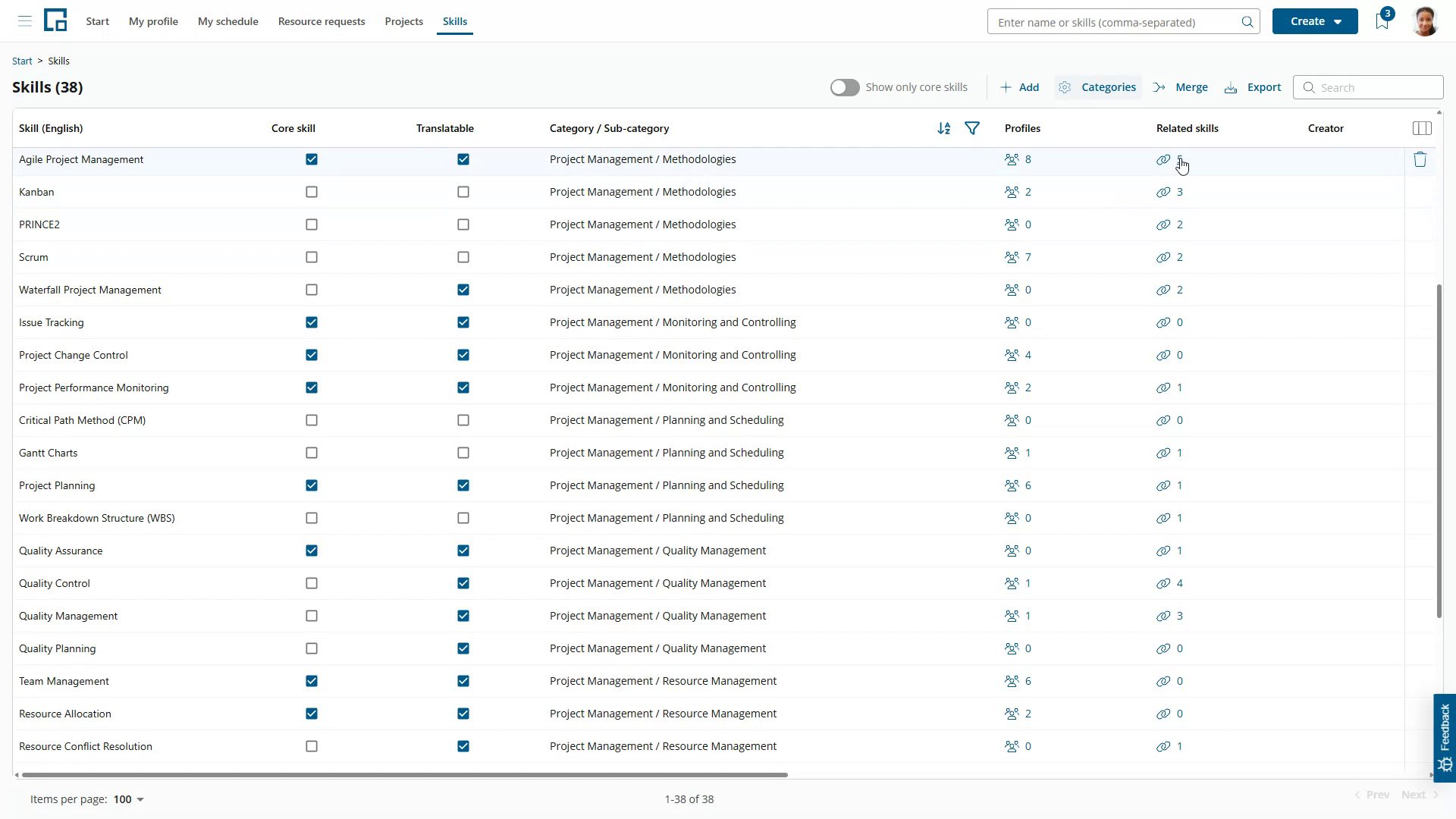 decídalo automatically identifies which core skills a specific skill is related to and links specific skills to core skills. The number of linked skills is shown in the "Related skills" column. Click on the number to open a pop-up and see the related skills.
You can manually merge multiple skills into one skill. Click the Merge button and select the skills you want to merge. Select the target skill for the merge operation. All selected skills will be replaced with the target skill in profiles and roles. Skills in existing CVs will not be changed. When a profile contains multiple of the merged skills with different skill levels, the highest skill level will be used for the merged skill.
You can download the whole skills catalog to Excel by clicking the Export button.