Skill Overview
As a company, you want a precise and consistent overview of your employees' skills. A detailed skill list enhances external representation, reporting, and the quality of generated résumés (CVs). However, maintaining a comprehensive skill catalog can be time-consuming, and individual user skills, freely entered by users in decídalo, can make standardization difficult. With the Skills Page and the support of AI, you create a standardized structure that ensures all relevant information is present in the system while enabling a professional and efficient presentation of your employees' skills, both internally and externally.
Access to this page is controlled by two permissions. With View skills, certificates and roles you can open the page and browse, search and filter the full skill catalog, but the options to create, edit, categorize, merge and delete skills (and the AI cleanup suggestions) are not available. Everything described below as managing or editing additionally requires Manage skills, certificates and roles, and the screenshots show the view of a user with both permissions.
How does the Skills Page work?
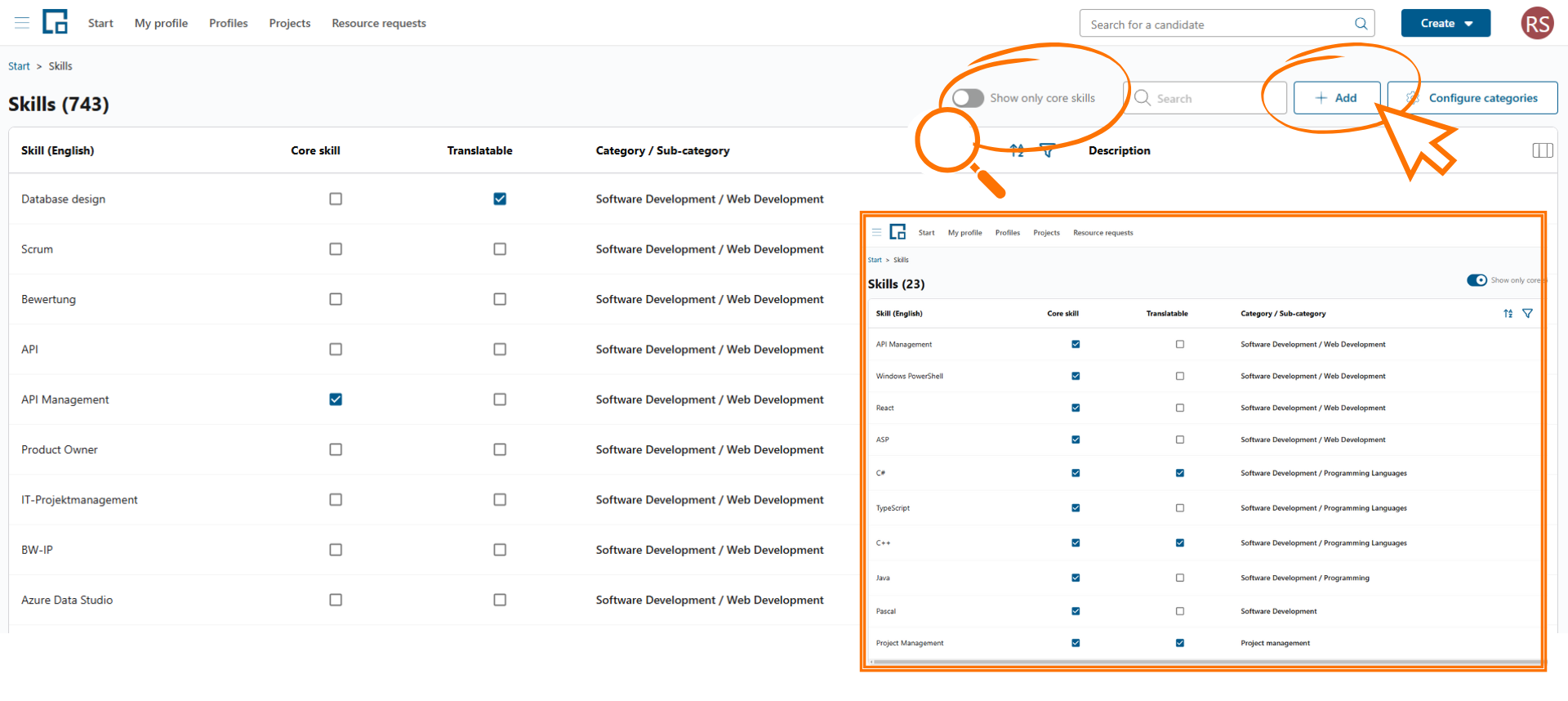
The page displays all skills currently stored in the system. You can view, manage, and refine your skills locally. The key benefits:
- Quality Assurance: Define skill wording, avoid duplicates, and eliminate spelling errors. When a user adds a new skill to their profile, it automatically appears in your skill list. AI suggests a category, a translation, and a description. Edit skills as needed to ensure consistency within the system.
- Structured Overview: A predefined categorization makes the overall scope of skills more manageable.
- Define Core Skills: Skills from the list can be selected as Core Skills. The administrator determines which of these key competencies are most relevant in the system and assigns them to a specific category. Start by defining your Core Skills, then filter the skill list accordingly.
How to Create Core Skills in decídalo
1. Define Categories
Begin by defining categories to structure your skills. Examples:
- “AI and Data Science”
- “Microsoft Azure”
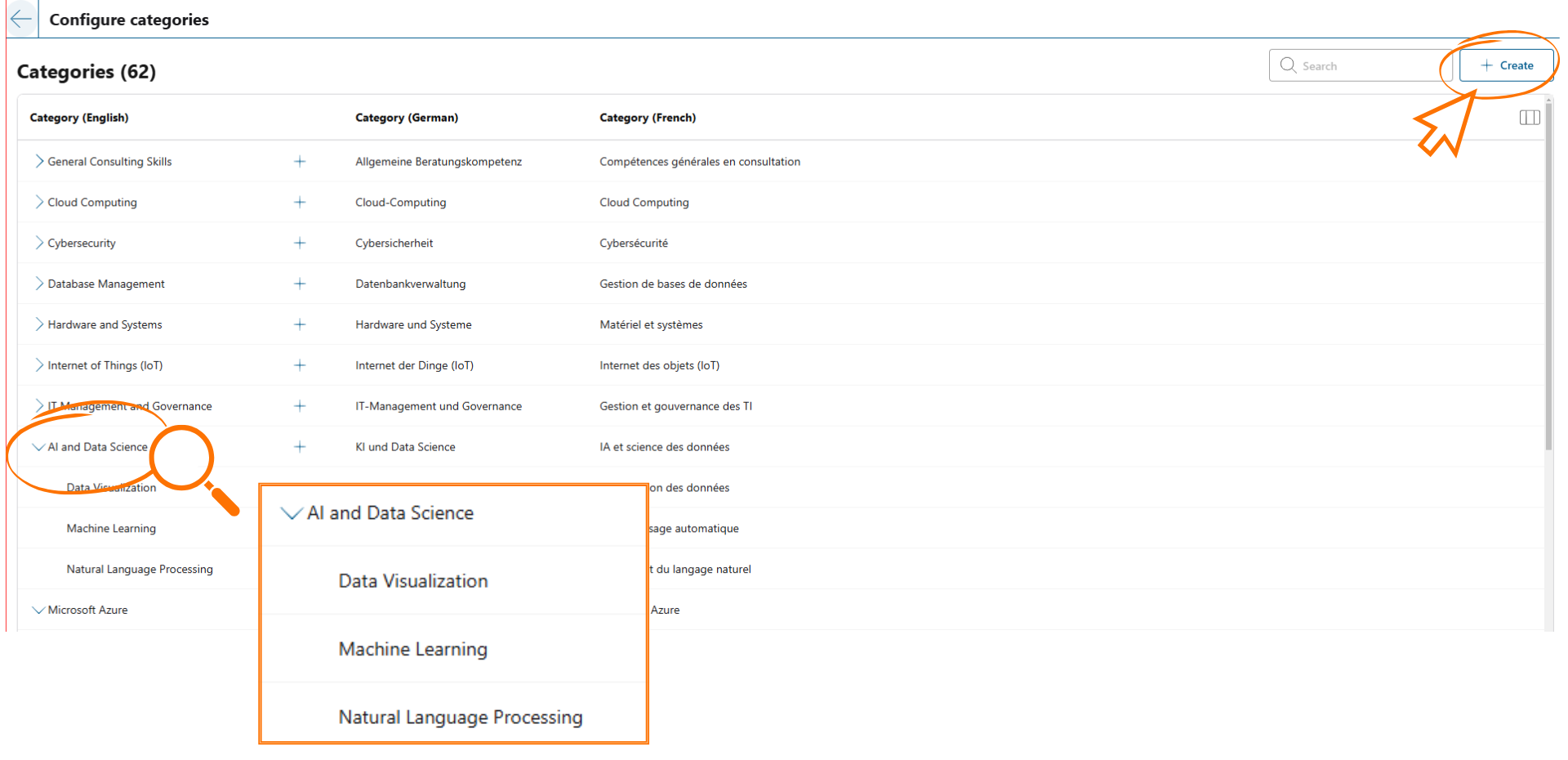
2. Use Subcategories
Expand your categories with subcategories to ensure even more detailed organization and further improve CV quality.
Example:
- Category: AI and Data Science
- Subcategories: Machine Learning, Natural Language Processing, Data Visualization
3. Add Skills
Enter the desired skills into the skill list. AI assists with:
- Assigning skills to the predefined categories.
- Generating suitable skill descriptions.
- Translation and spell-checking.
- Defining Core Skills.
Disclaimer This feature is currently in development and may evolve over time. As we continuously optimize decídalo, adjustments and improvements are part of the process. Please also note that this feature utilizes Artificial Intelligence (AI). While AI enhances functionality, it may not always interpret all data flawlessly.