Global Filters in decídalo
Filters in decídalo help you display exactly the information you need in each context. Whether in the Skill Matrix, on profiles, or in the global search, almost everywhere you can filter content to tailor the view precisely to your needs. Now, there’s an extended feature: Global Filters.
What is a Global Filter?
Global Filters are filter combinations defined and saved by an admin, available to all users in decídalo. This saves time and allows you to quickly access predefined views instead of setting up filters from scratch each time In addition, you can also save your own views, either as private filters (visible only to you) or as global filters (available to everyone, provided you have the necessary permissions) Conveniently, the last applied filter is automatically pre-selected the next time you use the feature.
Example:
Do you need an overview of all external Senior Consultants?
- Open the Profiles page.
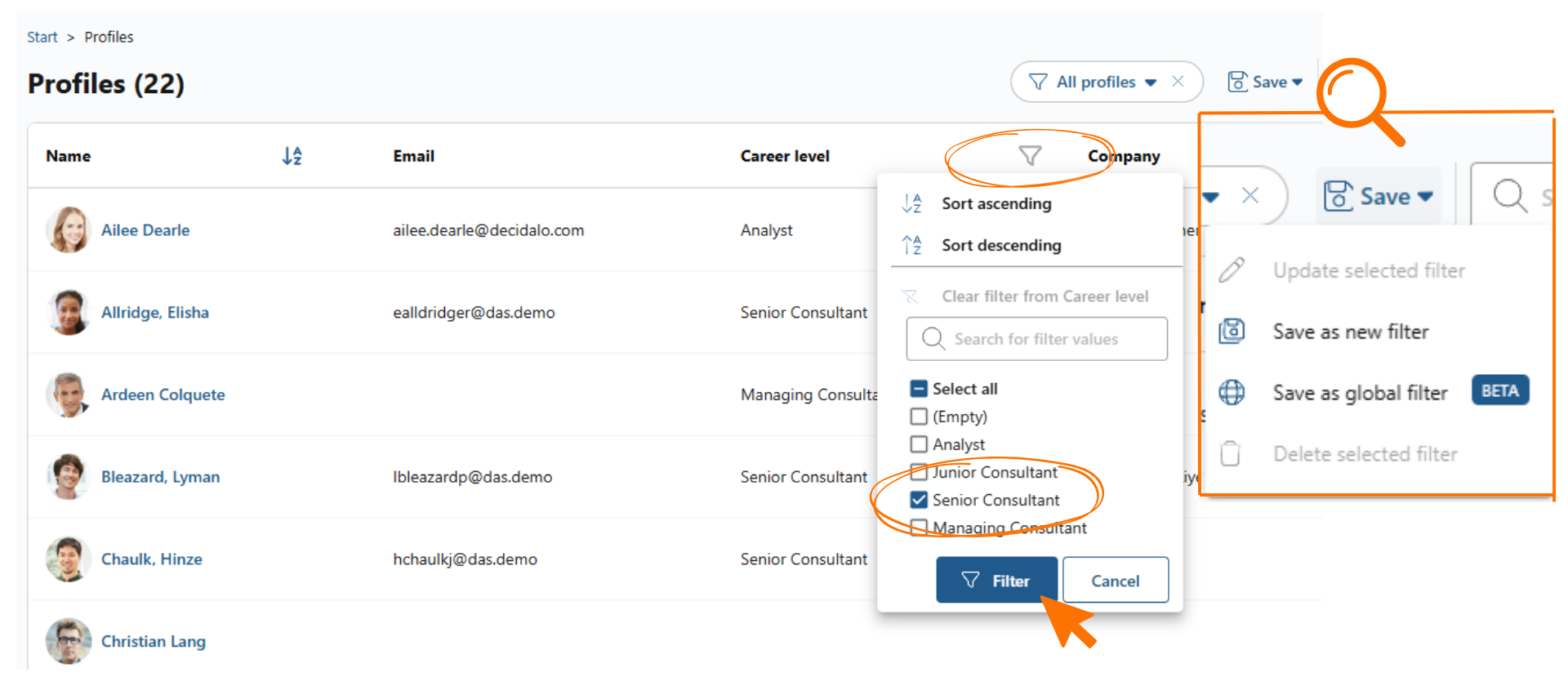
- Select the desired criteria (e.g., External + Senior Consultant) and apply the filter.
- Save your view as a new filter:
- New Filter: visible only to you.
- Global Filter: visible to all users.
Deleting Filters
- Private Filters: Every user can delete their own filters at any time. This only affects their personal view.
- Global Filters: Only an admin can delete global filters, regardless of who created them. Once deleted, they disappear for all users in the application.
Standard Filters
To ensure you always have a reliable starting point for your work, decídalo provides a set of global standard filters. These filters are always available and cannot be deleted. This way, you always have a stable base view that you can refine and adapt with additional criteria as needed.
Predefined Filters
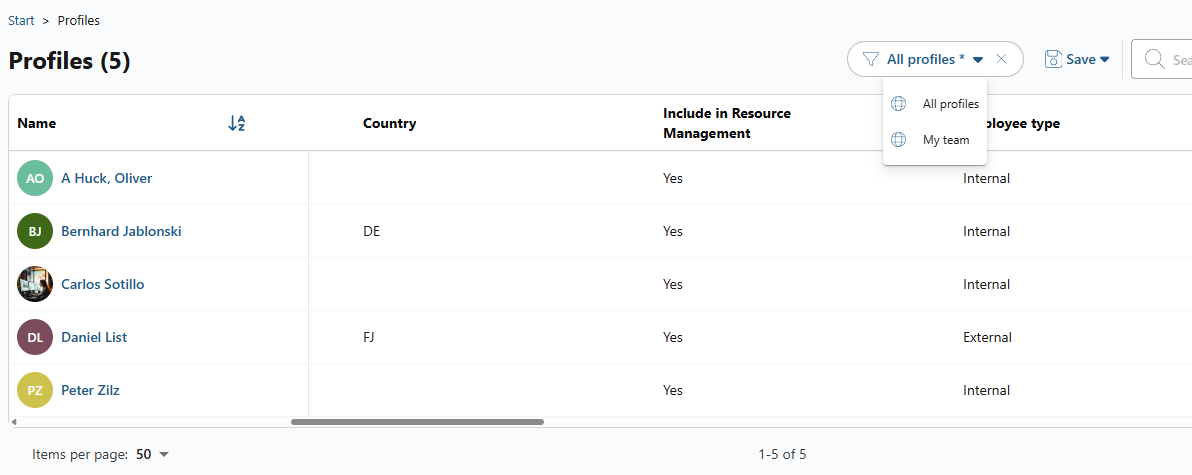
- On the Profiles page, team leads automatically have access to the filter “My team.”
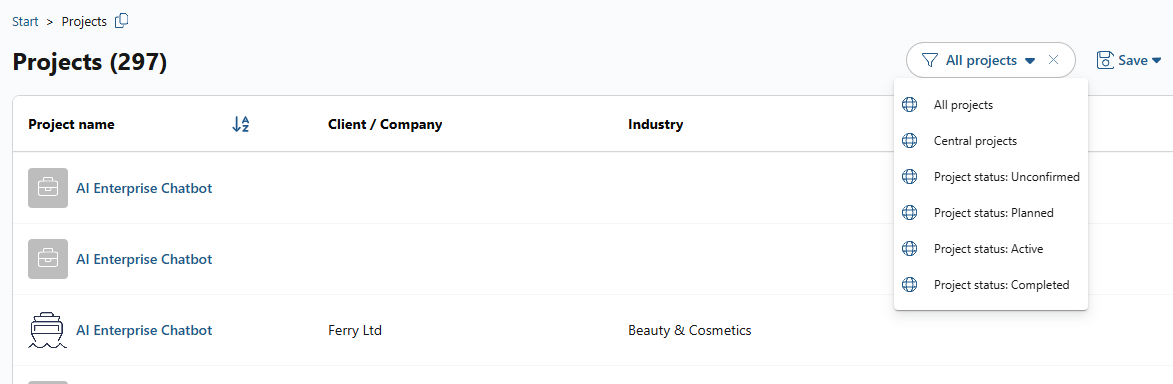
- On the Projects page, predefined filters are available for key projects and for each project status. These status values are centrally managed by admins on the Administration page.
Any changes made by an admin, such as deleting, renaming, or adding a status, are automatically reflected in the predefined filters.
Related Articles
- Skill Matrix in decídalo: Learn more about the filtering options on the Skill Matrix.