Check Your Permissions
What users can see and do in decídalo depends on their permissions. In this section you learn how to check your own permission profile.
Permission concept
decídalo features a customizable, enterprise-grade permission concept. The data, functionality, and actions available to a user are defined by their permissions. In decídalo, permissions are organized into permission sets, called permission profiles. To check your permission profile, navigate to your profile and select the "Accounts" tab.
The "Permissions" section at the top of the Accounts tab shows your permission profile. Permission profiles are assigned by an administrator and cannot be changed by users themselves.
Even if you are an Administrator, self-demotion is not possible, as you would lose the ability to restore the admin profile.
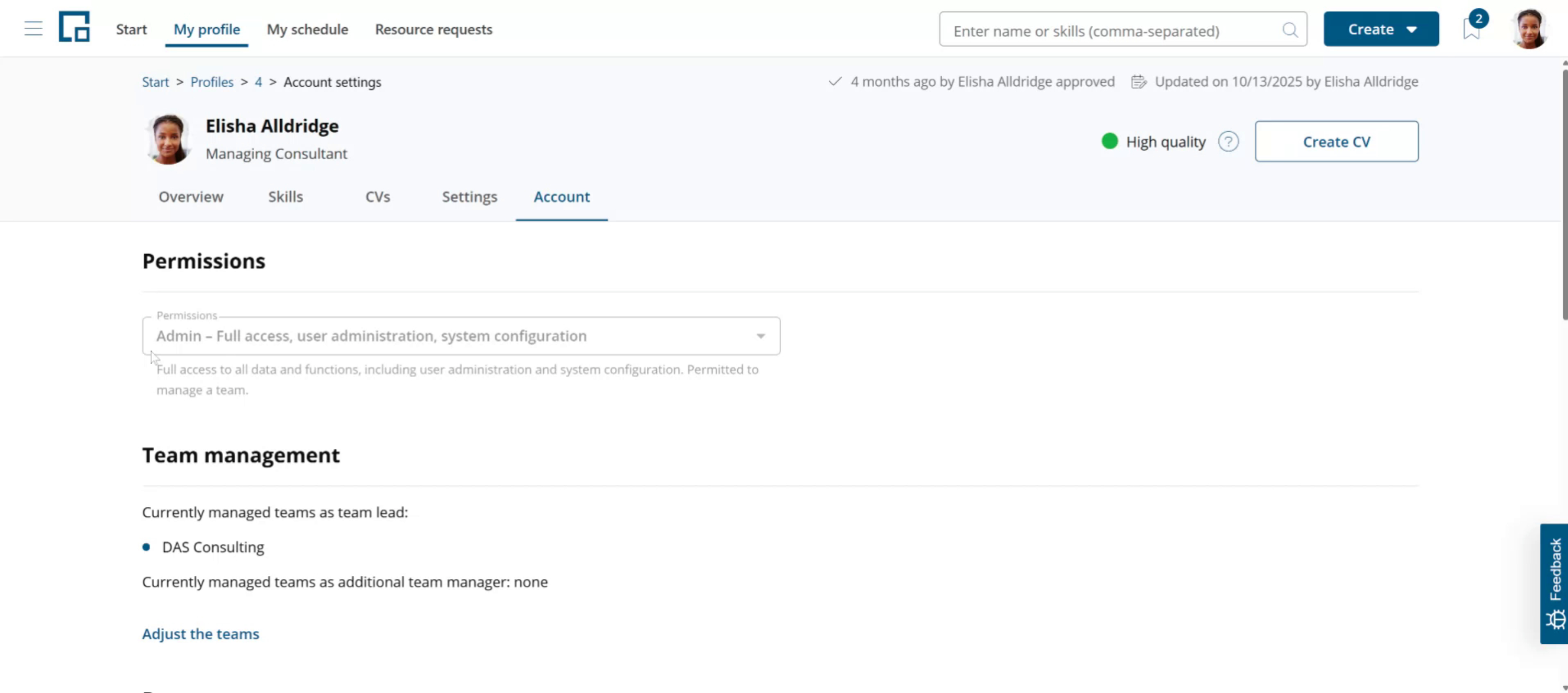
The Permissions section also shows a brief description of your permission profile.
The standard permission profiles in decídalo include "Employee," "Line Manager," "Resource Manager," and "Administrator." However, permission profiles can be customized and extended by your organization and may be different for you.
Line Manager and Resource Manager permissions
A permission scope can be defined for Line Managers and Resource Managers.
Permission profiles can be renamed and different terms may be used in your organization.
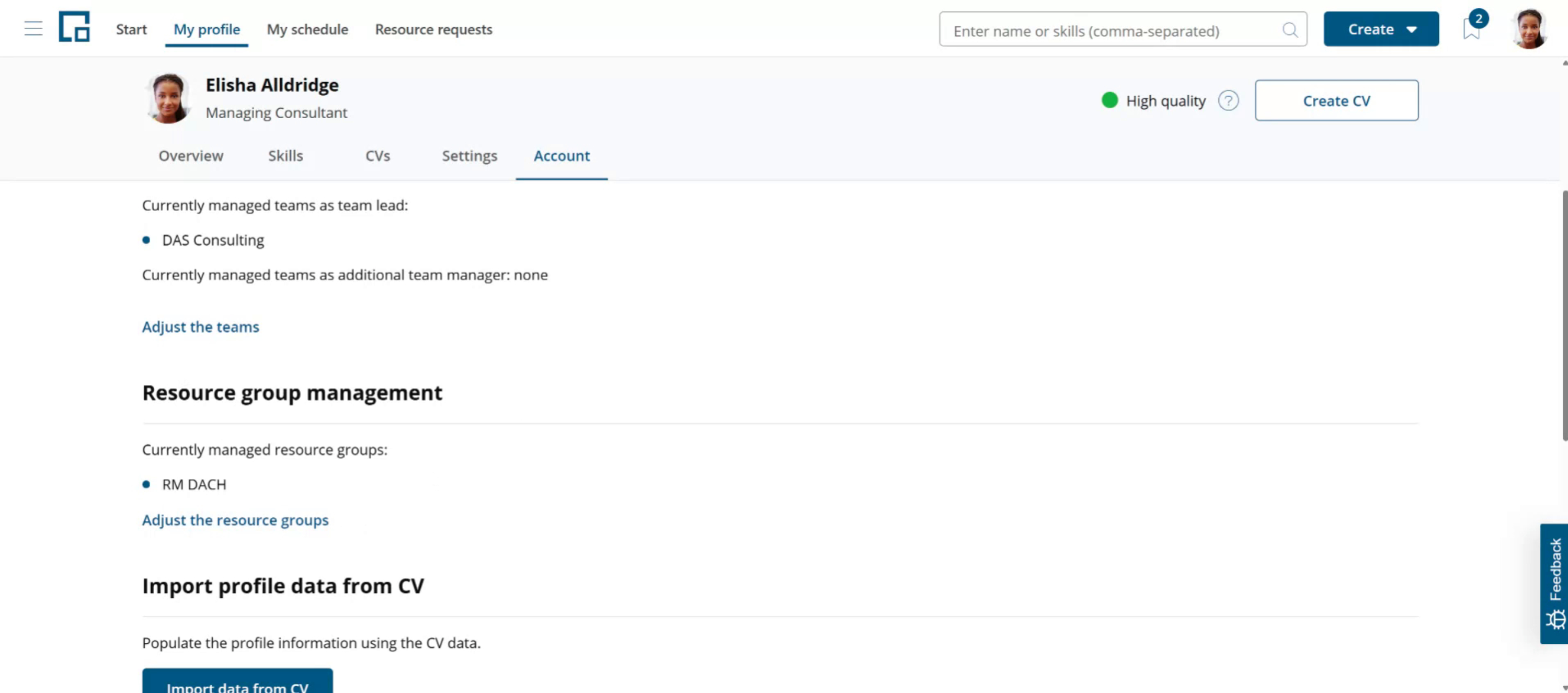
If you have a Line Manager permission profile the "Team Management" section will show the teams you are managing.
Resource Managers can see the resource groups they are managing in the "Resource group management" section (scroll down if you don't see it).
Resource groups are an advanced permission concept for large organizations. They may not be used in your organization.
For the full list of permissions, what each one controls, and how administrators configure permission profiles, see the Permission concept article.