Data Entry Concepts: Inline Editing and AI Text Generation
This document explains inline editing and utilizing AI support for data entry, ensuring a smooth and efficient experience.
Inline Editing
decídalo utilizes inline editing for most input fields. When you hover over an inline editable field, it will be highlighted, the mouse pointer changes and an edit icon appears beside the field.
 Click on the input field to activate edit mode, allowing you to make changes.
 Enter the desired text and click the OK button, or simply press enter to confirm your changes.
AI Text Generation
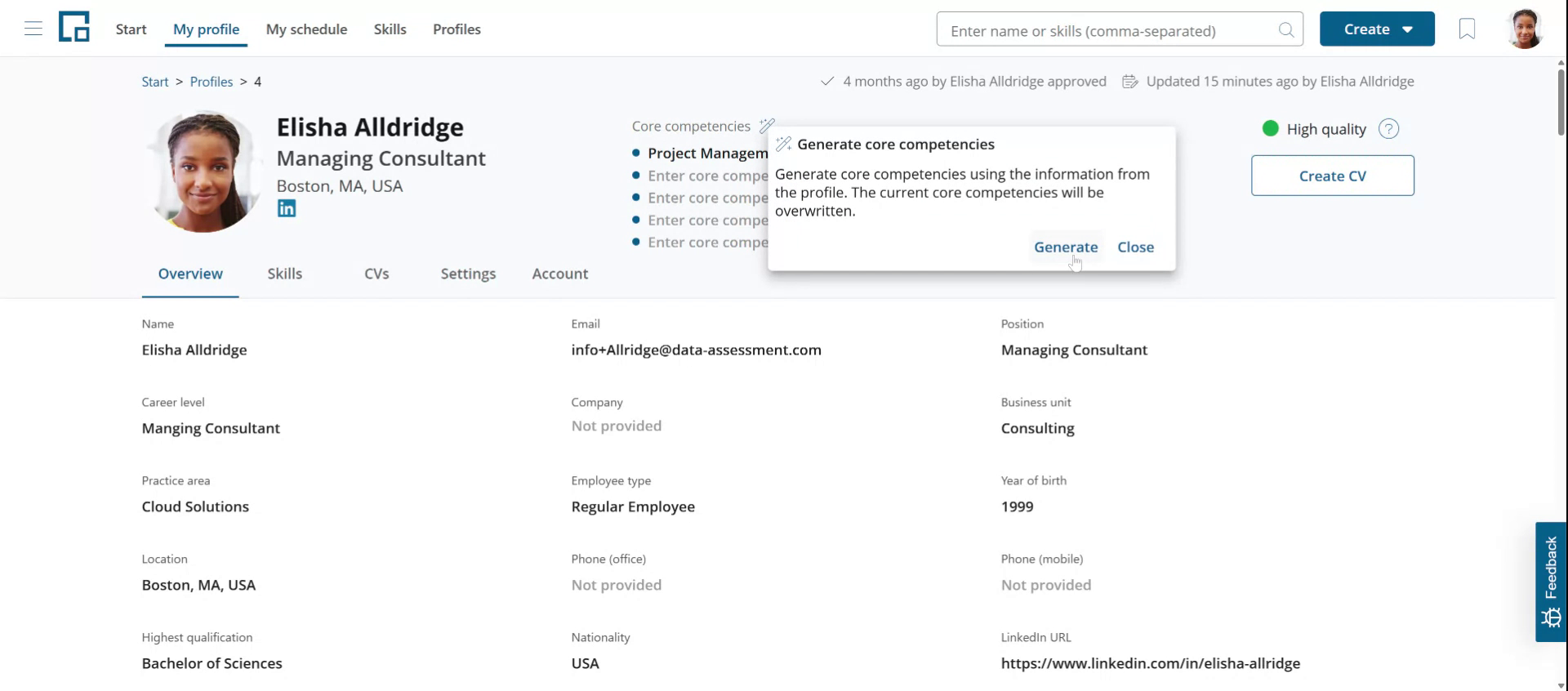
As decídalo is an AI-native application, it offers comprehensive AI support for data entry. A magic wand icon indicates the availability of text suggestions that can be used to pre-fill the input field.
In this example, we will extract core competencies from the profile. Click on the magic wand icon in the core competencies section to proceed. A brief explanation of the AI capabilities will be provided, detailing how it assists in the process. Click on the generate button to proceed with the AI-generated suggestions.
Note: The language of the generated text is controlled by the "Profile text generation language" setting on the profile's Accounts tab. See Languages and Regions.
For more information about administrative tasks, see Administration.