Keeping Employee Skill Profiles Up-to-Date with AI
decídalo helps keeping employee skill profiles current and accurate by automatically updating skills with AI. It pulls information from several sources like certificates, projects, completed trainings, and professional experience. decídalo keeps the human in the loop by pointing out AI added skills and requesting confirmation.
Automatic skill updates
To manage your workforce effectively, you need to have up-to-date skill profiles. decídalo makes this easy by using AI to automatically update employee skills. It extracts skills from certificates, projects, completed trainings, and professional career.
Only core skills are added by AI. These are the skills most relevant for your organization. For more details on core skills see the decídalo skills concept.
When certificates or trainings are added to the profile, decídalo automatically adds related skills. This also works when importing certificates or trainings from a Learning Management System (LMS) to further automate the process.
The most important source for skills is the project history. In practice, employees build up new skills by applying them in projects. In resource management decídalo tracks which projects employees are working on and knows what those projects involve. It can automatically pull out skills from personal tasks and responsibilities and add them to the project and therewith to employee’s profile.
Skills added by AI have an AI icon next to them. You can click this icon to either confirm the skill using the "keep skill" option or remove it from the profile. When a skill is confirmed, the AI icon disappears and the skill is treated as a manually added skill.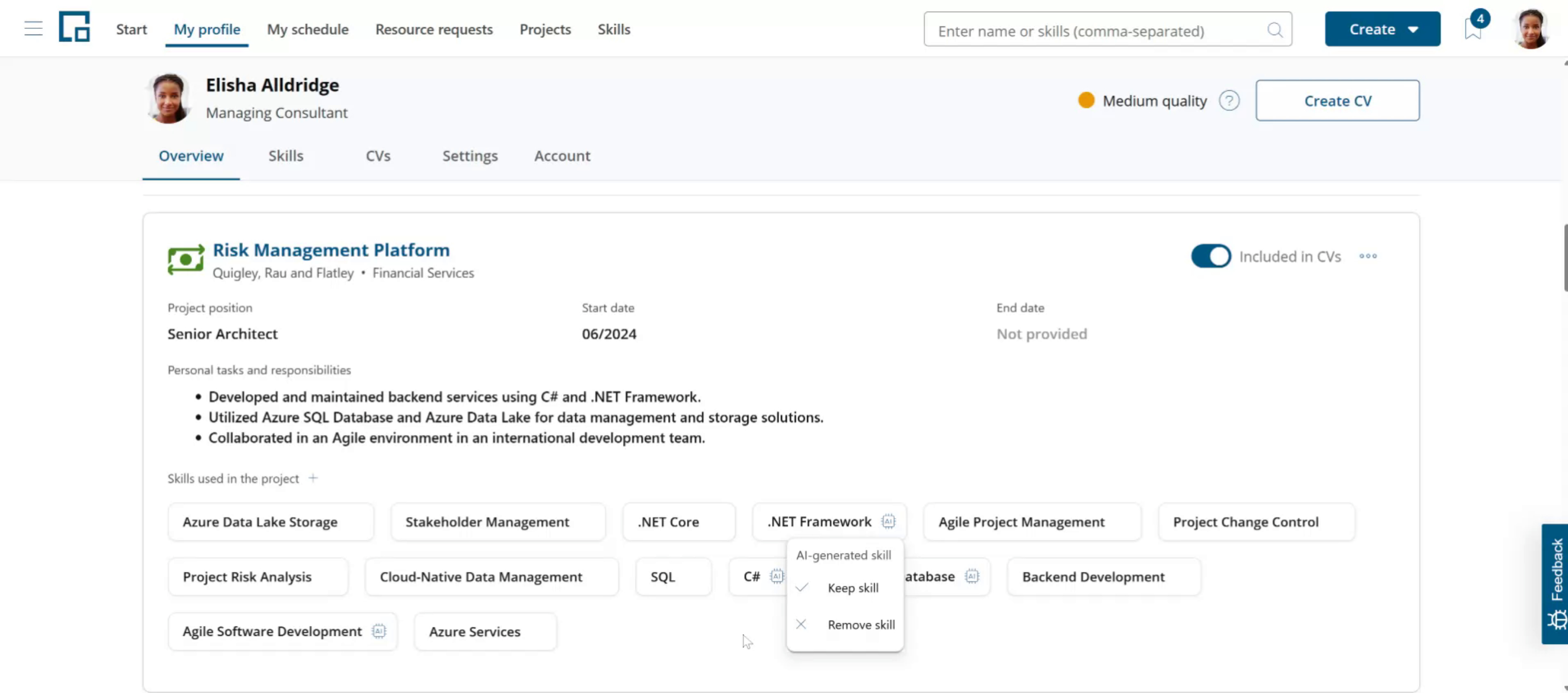
To see all skills that were added to the profile, select the Skills tab. Skills that have been added by AI will show the same AI icon as on projects.
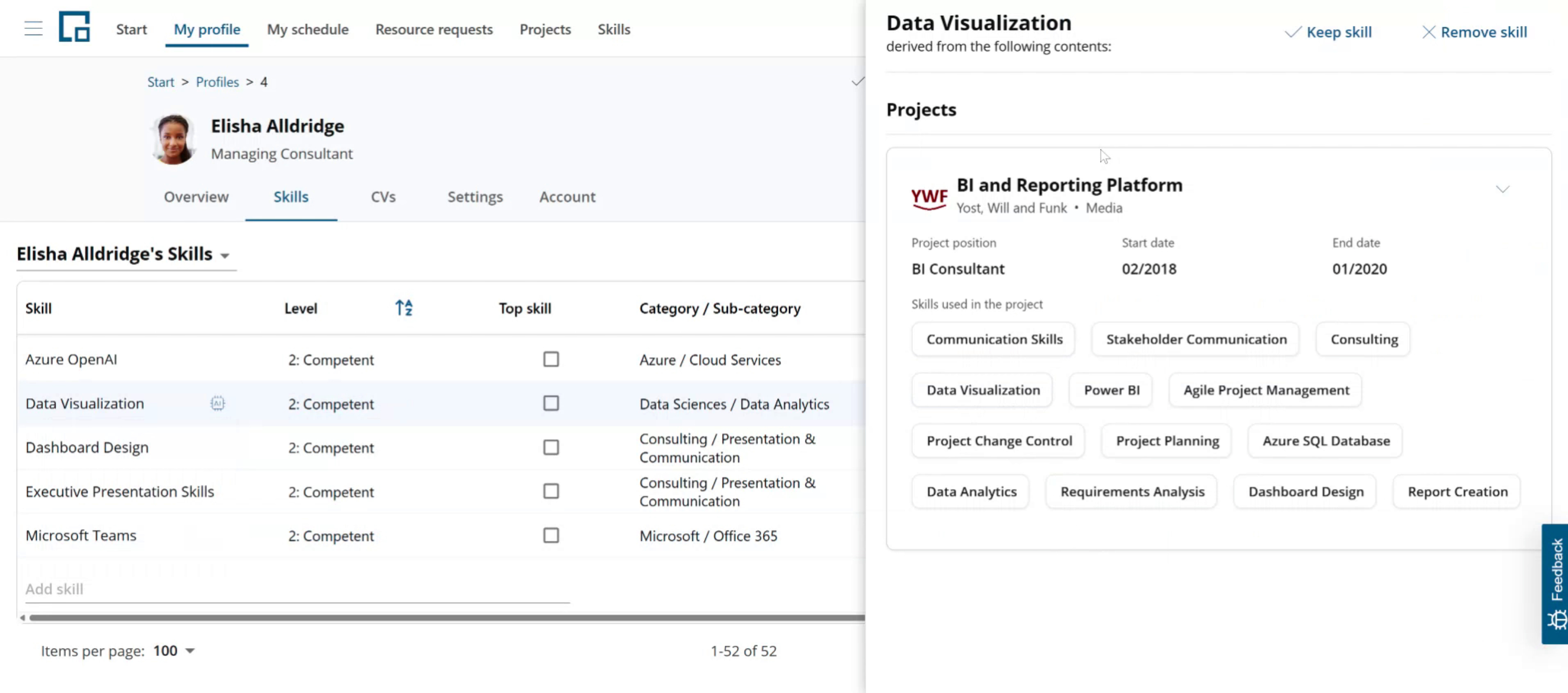
Clicking the icon, in addition to confirm or reject you have the option to see why the skill was added.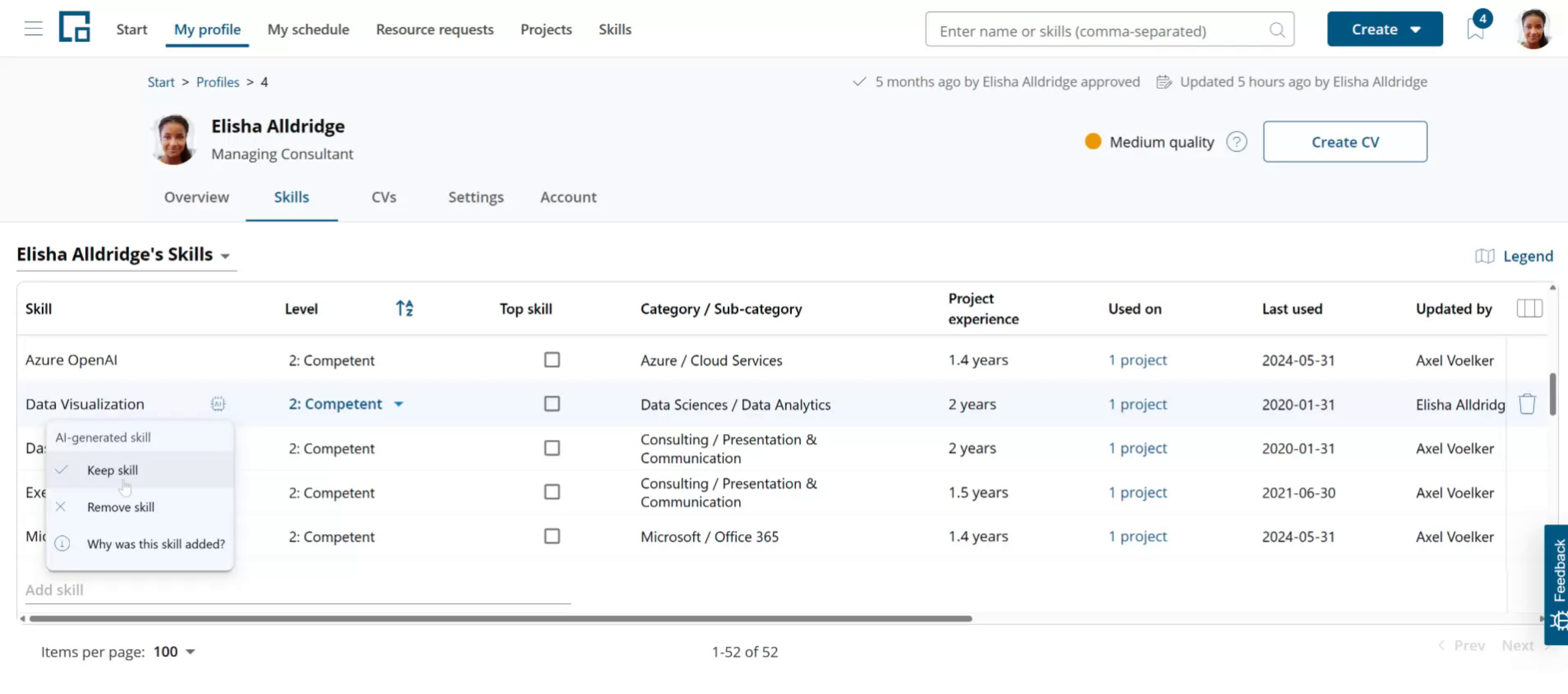 Selecting the last option opens a side drawer that shows the project, certificate, training or professional career entry from which the skill was derived.
Difference between AI-added and manually added skills
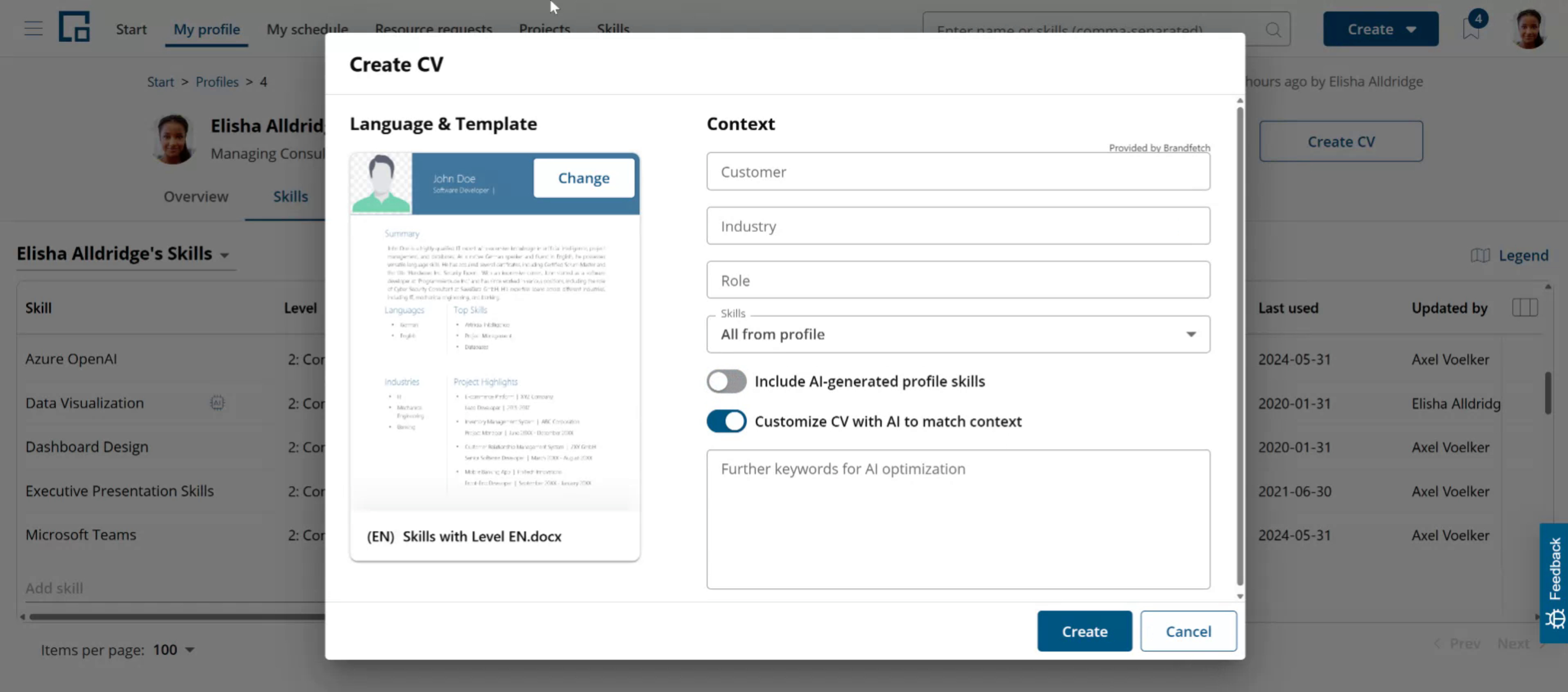
AI-added skills (skills that show the AI icon) behave the same way throughout the system as the ones added by users. The only exception is when you generate a CV: you get to choose whether to include AI-added skills or not. When generating a CV, you can exclude AI skills if you just want the ones added or confirmed by a human.
The CV generation dialog has an option to include AI-generated profile skills. Disable or enable this using the corresponding toggle button. decídalo remembers your setting for future CV generations.
When a language or industry is entered as a skill
Sometimes a language (for example "English") or an industry (for example "Automotive") is entered in the Skills tab, even though decídalo manages these in their own profile sections. When decídalo detects this, it does not create a skill. Instead it adds the entry to the correct section (Languages or Industries) and shows a temporary row in the skills list so you can see what happened.
The temporary row is labelled "Identified as language" or "Identified as industry" and carries an AI-fix icon. Clicking the icon gives you two choices:
- Keep: confirms the correction. The entry stays in the Languages or Industries section and the temporary row is removed.
- Revert: undoes the correction. decídalo removes the language or industry it added and instead adds the original name to the profile as a regular skill.
The temporary row is only a notice. It is not a real skill, so it has no level, project usage, or other skill details, and it disappears the next time the skills list is refreshed. If the language or industry was already on the profile before, choosing "Revert" leaves that existing entry untouched.