Connecting Projects to Resource Requests
This article explains how to link a project with existing resource requests. See projects for detailed information.
Initial situation
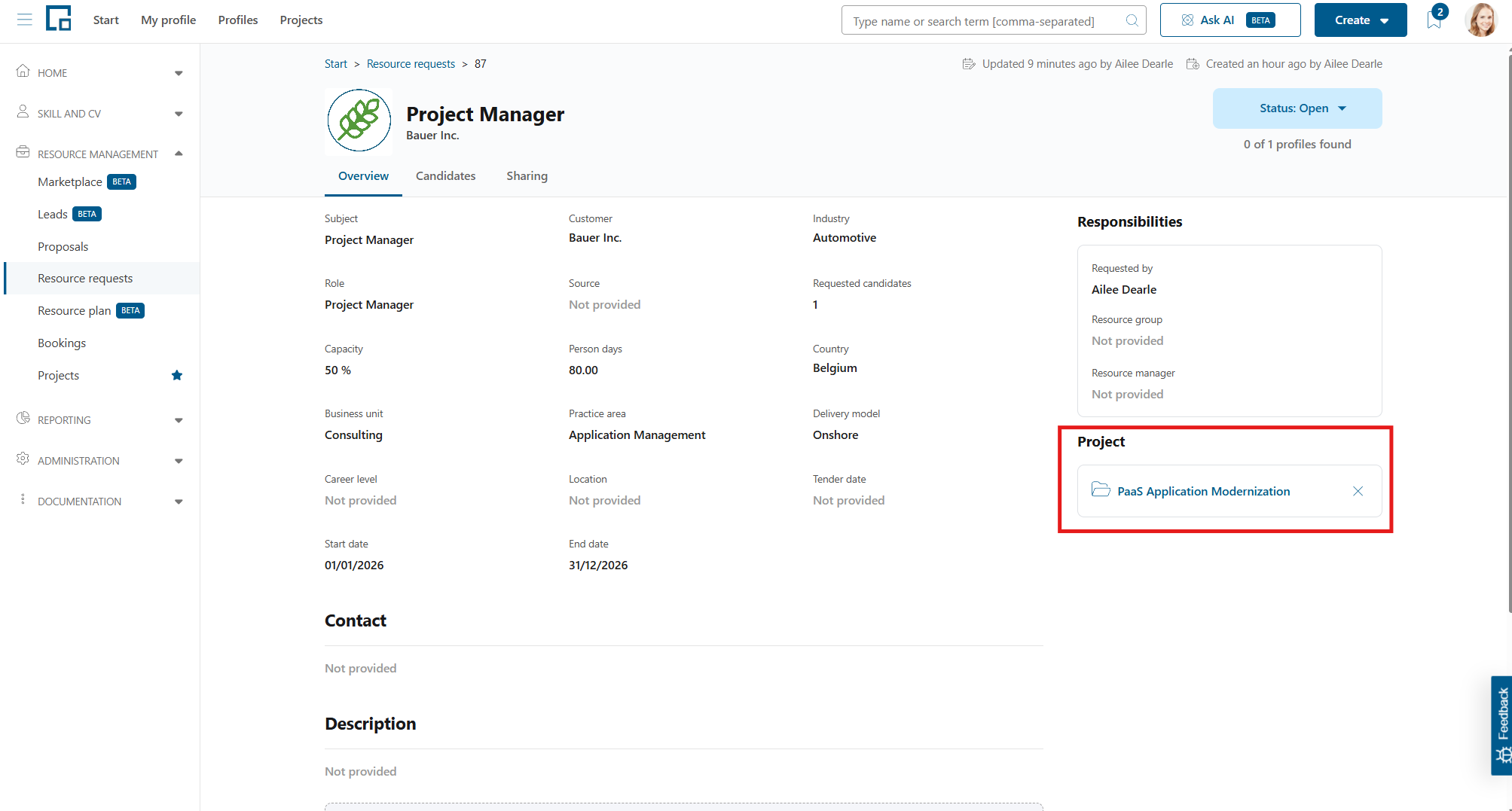
In decídalo, a resource request can be created either independent from a project or directly belonging to a certain project. The resource request’s project is displayed at the lower right of its overview tab as a link to the project’s page.
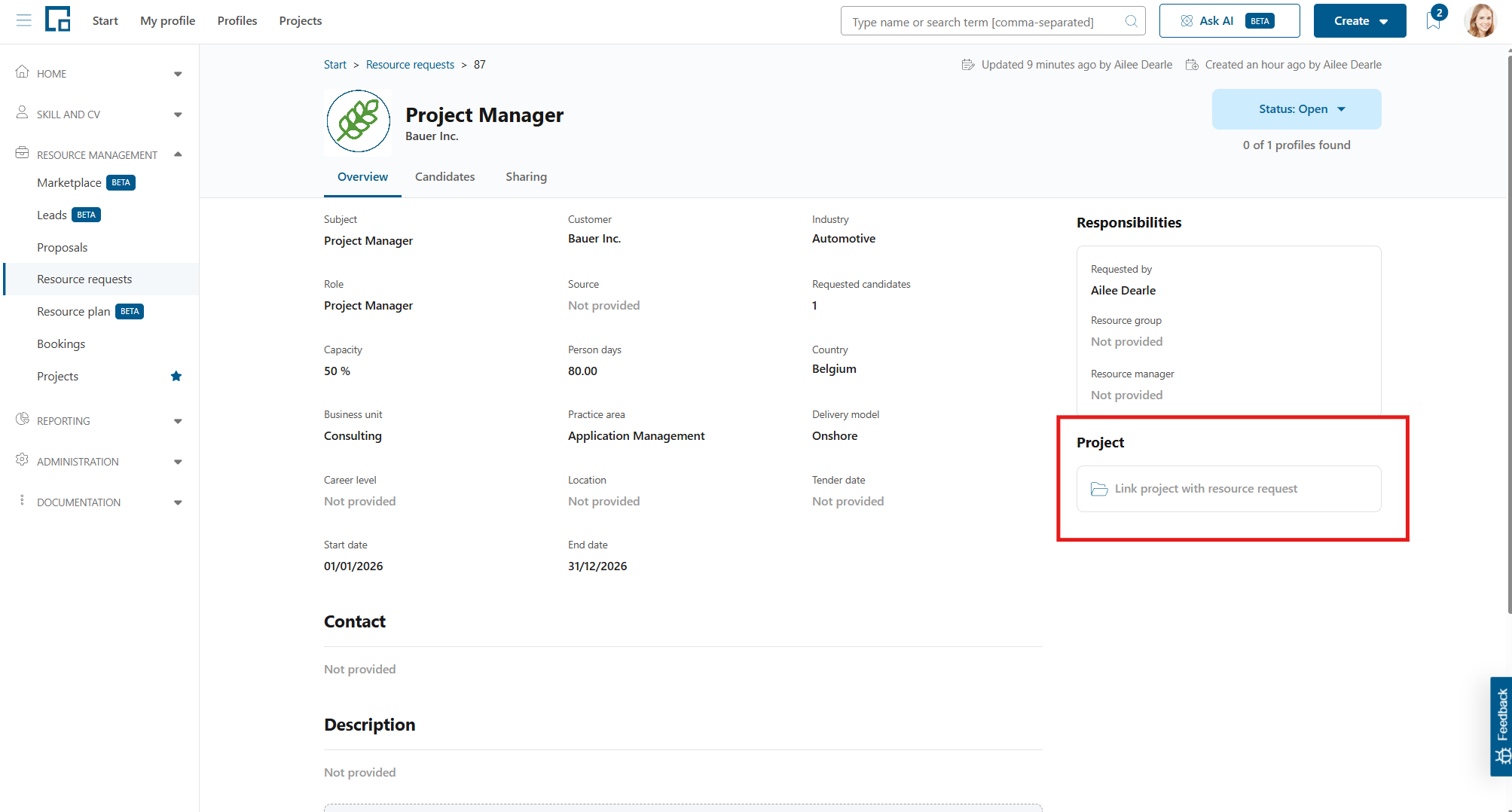
If there has not been a project connected yet, the field will display a tooltip placeholder to be clicked on.
Creating a project connection
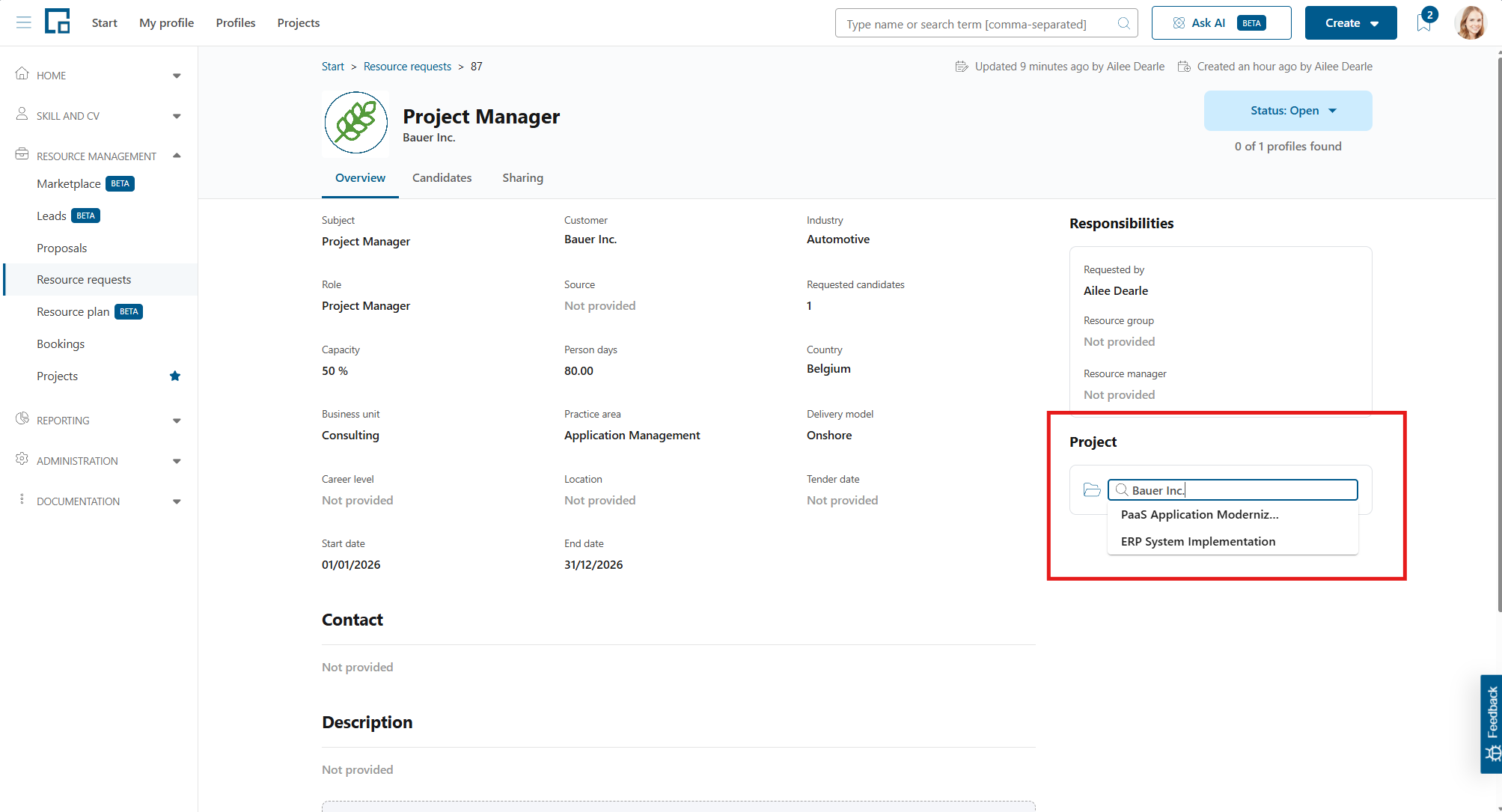
Clicking on the field, a search field with a dropdown selection will appear. All project names and corresponding customers are searchable here. So, simply enter the desired project name or search for a specific customer to link a project to the current resource request.
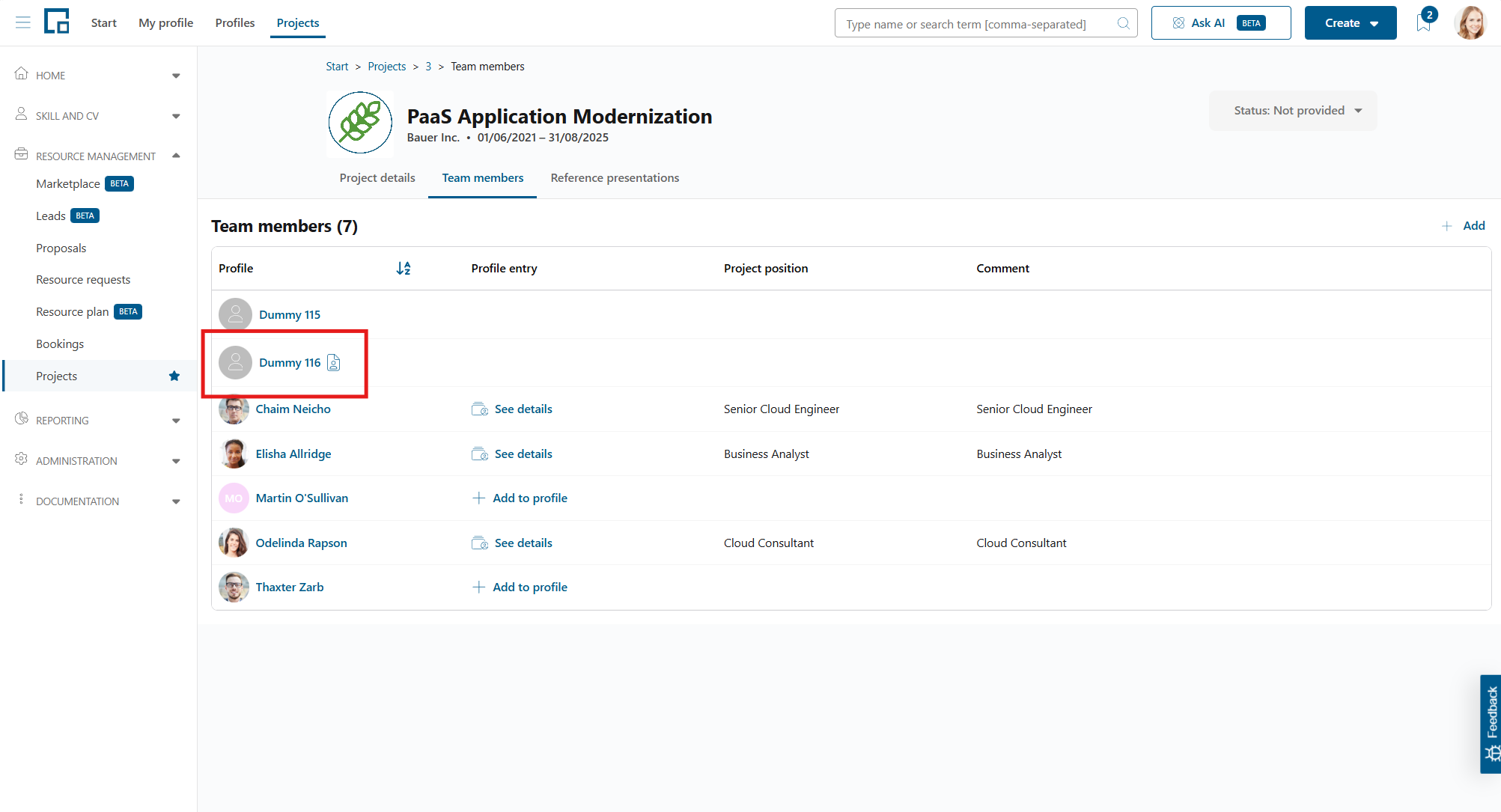
The link between a project and a resource request is only performed via bookings in decídalo. So, two things can happen here in the background, depending on the booking status of the resource request. If the resource request already owns bookings, all existing ones will be linked to the project immediately. If the resource request does not own bookings yet, a dummy booking is created in the background to be the source of the project connection. These dummy bookings can be found on the ‘Team members’ tab of the project, with a resource request icon behind the booking name.
Removing a project connection
A resource request’s project connection can be removed via the ‘x’ button in the corresponding field.
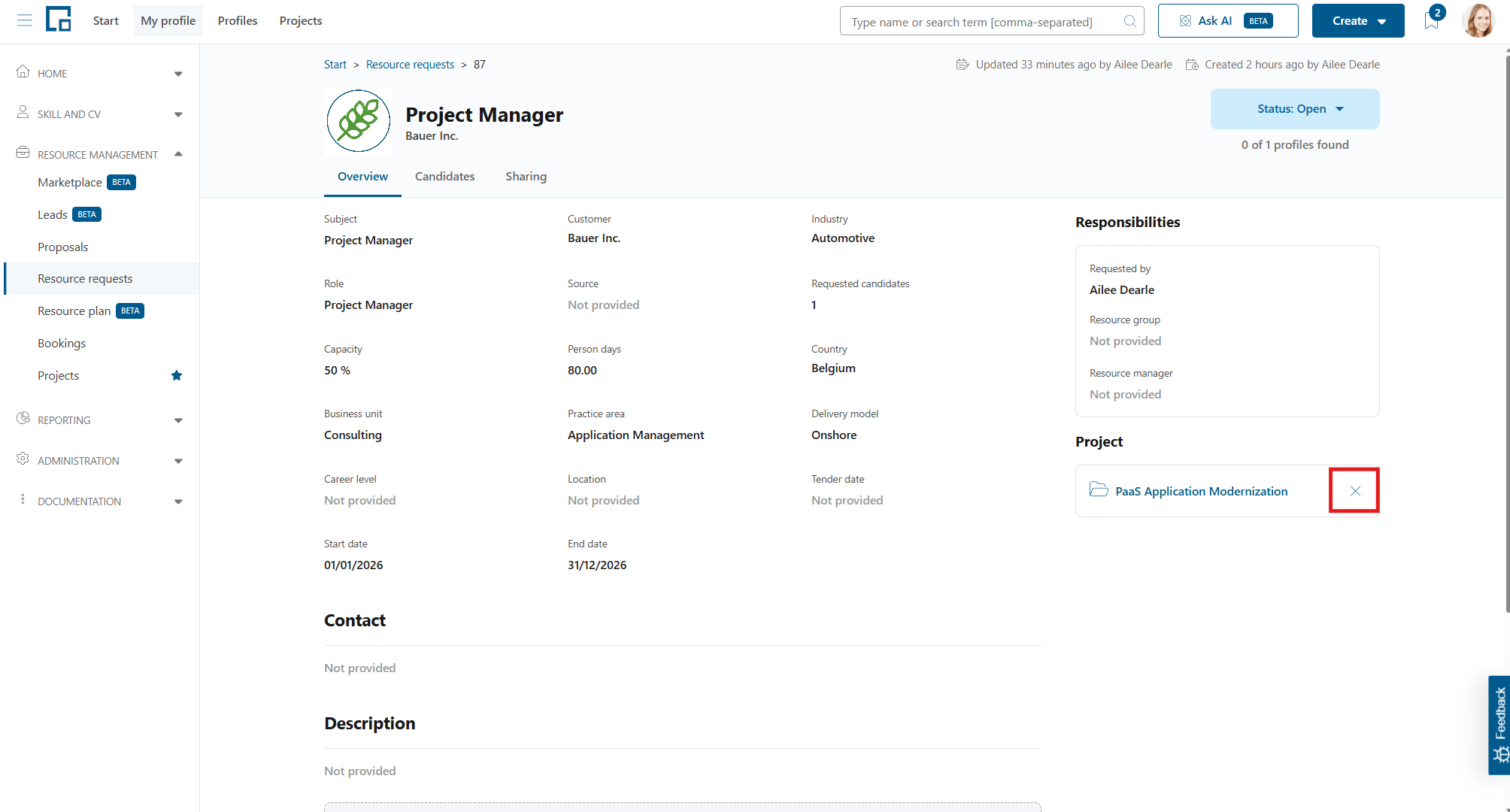
If the resource request only owns dummy bookings, the project connection is removable. The dummy bookings will not be deleted, but the connection is lost.
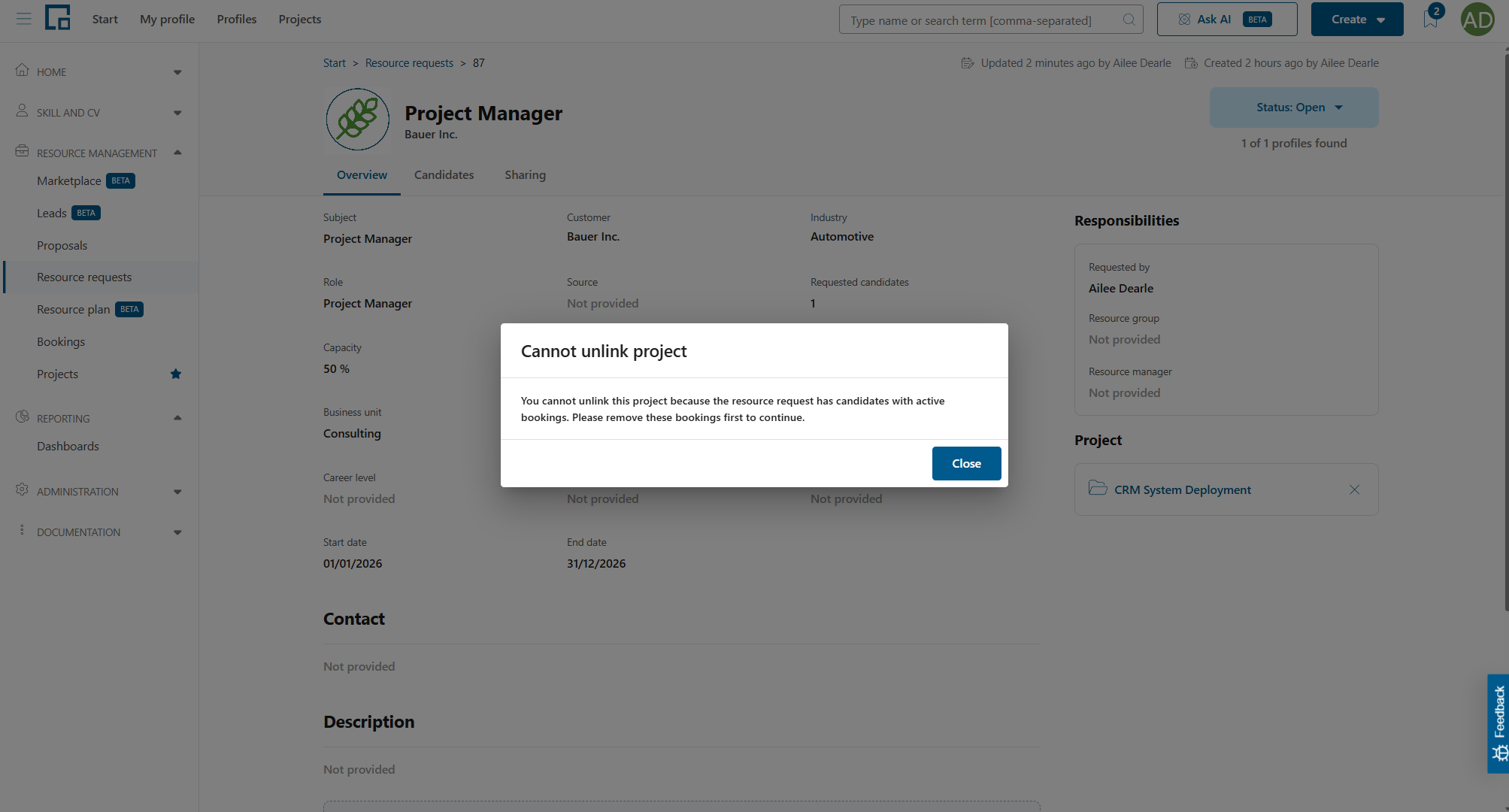
If the resource request owns actual booking where employees are assigned, removing the project connection is not possible to ensure consistency in the project plan. Therefore, the user will get a separate pop-up with information to adjust or remove the respective bookings first.