Set-Up Guide for decídalo
Welcome to decídalo! Follow this guide to get started and make the most of its features.
1. Registration & Inviting Employees
Once you are registered, you can invite your colleagues to join decídalo by sending them an email invitation. This allows them to set up their own profiles and start using the platform. Please note that after the initial registration, our system is already populated with 'dummy data' so that you can thoroughly test the application, even if you do not wish to enter your own data right away.
2a. How to Import Users into decídalo
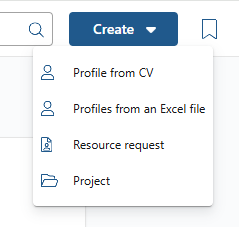
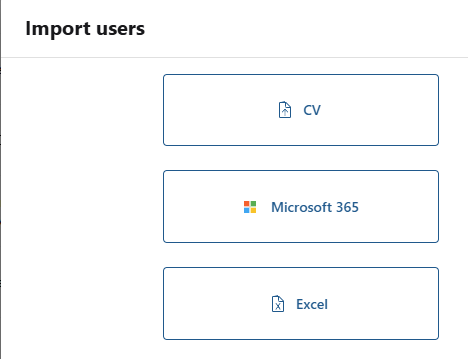
In the first step, you want to bring your Users into the systems, which means importing your employee’s profile master data. You have multiple options for importing Users into the system:
- Import User from CV: If you already have CVs of your employees, you can directly import their profiles from these documents. If you use the CV Parser, not only master data can be transferred, but also additional profile data, if it is provided in the employee's CV. Examples are projects, certificates, or skills.
- Import User from Excel: If your employee data is stored in an Excel file, you can seamlessly upload and import the information.
- Microsoft User Import: You can also import users directly via Microsoft integration from the “Profile” overview section.
Now, the user's master data is in the system. In case the CV Parser was not used, you can now add the additional profile data. Projects, certificates, skills, and other relevant data can be added the following way:
2b. How to Import Profile Data into decídalo
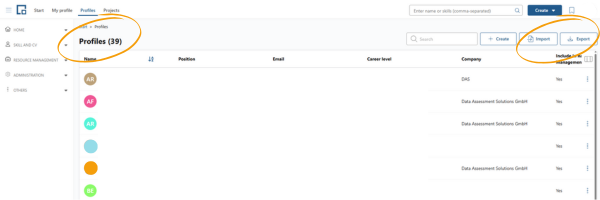
- As an administrator, you have access to a complete overview of all profiles under the “Profile” section, where you can import or export them as needed.
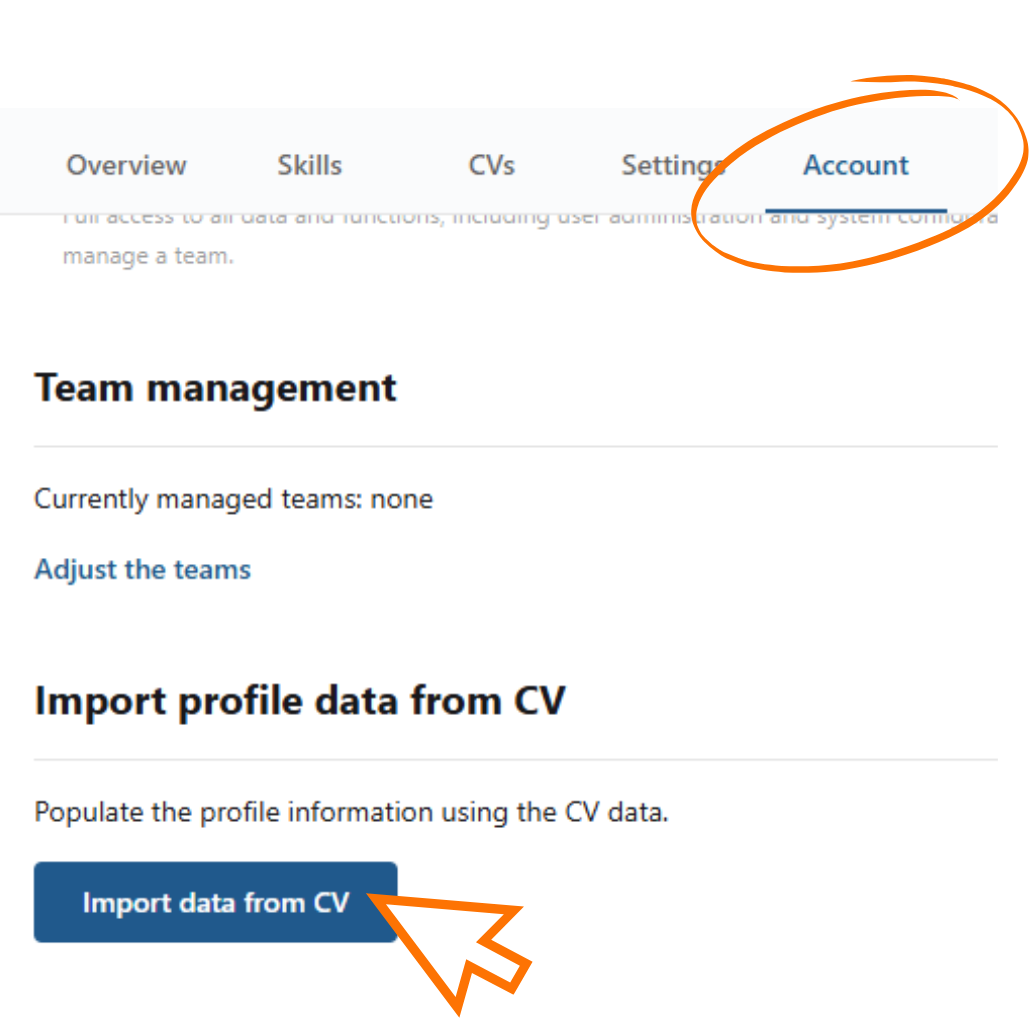
- The user also has the option to manually enter and populate the content on their profile or independently import profile data from their CV.
3. The Magic Wand: Your AI Assistant
The magic wand icon appears in various places within decídalo, representing AI-driven assistance.

The AI supports you in different processes by making intelligent suggestions, such as:
- Generating summary texts
- Assessing skill levels
- Extracting requirements from resource requests
- Semantic search in the resource requests
…and many more.
It's important to note that the AI only interprets the available data and provides recommendations. It does not make automatic changes to your data. However, if you create a CV with AI optimization enabled, the AI will generate a revised summary based on the data in the profile. These are not hallucinated data, but information provided by the user.
4. What can you do when your data is in the system?
The profile data is now in the system! What are the next steps for optimizing skills and CV management in decídalo?
Managing Your Skills
In your profile, you can add skills and assess your skill levels. The skills you rate the highest will be displayed as your Top Skills on your profile. On the Skills tab, you can select different skill lists to better organize and manage your competencies. Additional features related to skills include the Skill Matrix and the separate Skills page, which provide further insights and customization options. For more information check out our documentations on the Skills page.
Managing Your CVs
You can create and manage your CVs directly from your profile. We offer standard templates that you can switch between as needed. Additionally, the templates can be downloaded and edited for further customization. CVs can also be created in multiple languages.
Important Information About CVs
- AI Optimization: CV content can be optimized with the help of AI. This feature can be turned on or off based on your preference. The AI helps determine which content is most relevant for the client! It identifies top skills, top projects and top certificates. It also generates an appealing summary from the available data. No information is fabricated, and everything can be manually adjusted to create the perfect CV.
- Skill Selection: You can choose which skills to include in your CV.
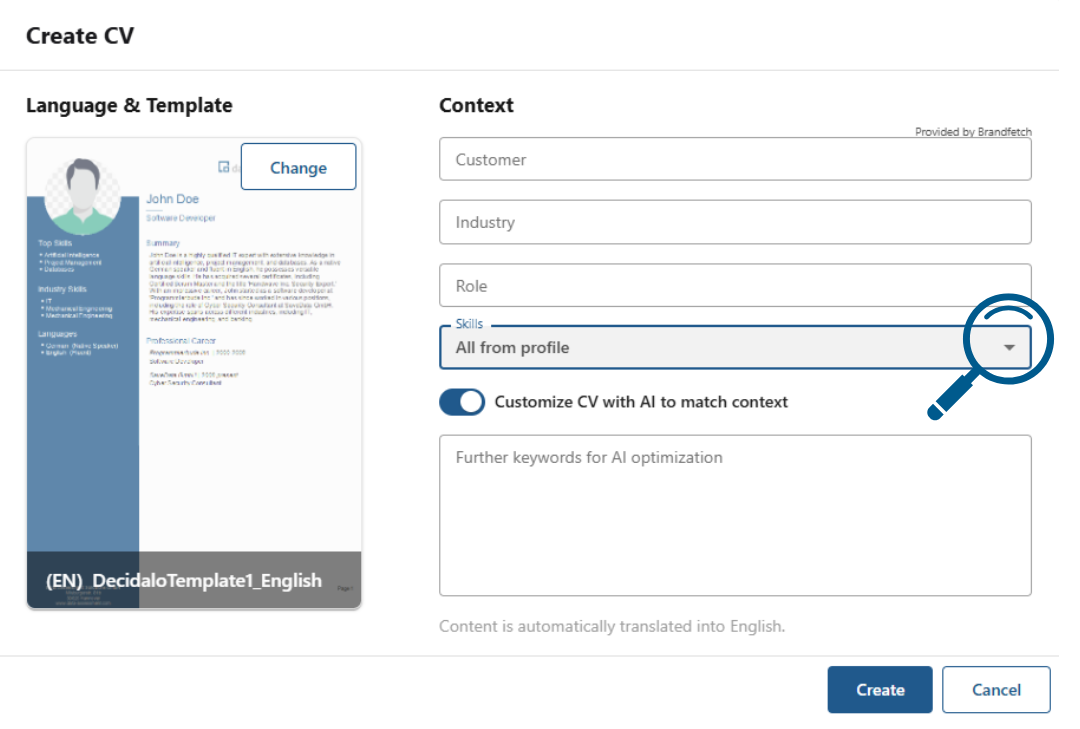
- Profile and CVs Are Separate: Changes made to your CV do not affect your profile. This allows you to fully customize your CV without altering the main profile information.
5. Administration Area
We offer a comprehensive Administration Area where admins can customize and add data fields to match specific organizational needs.
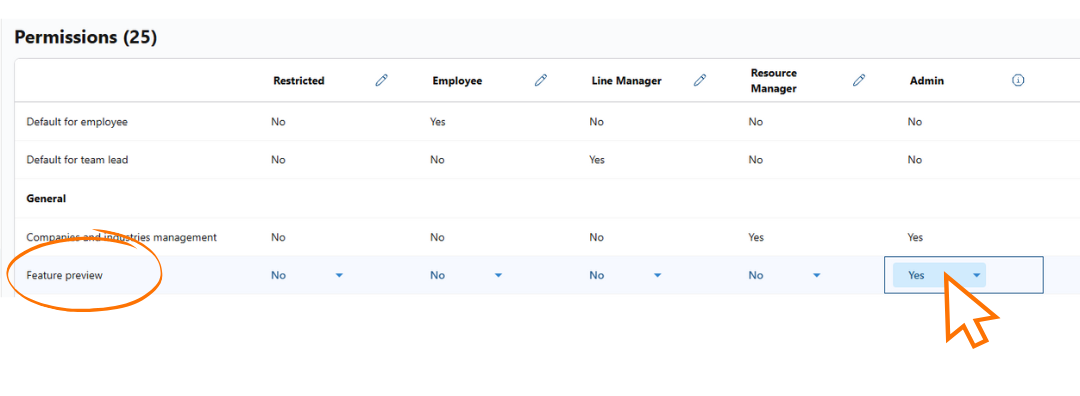
Another key feature is Permissions Management. Define who can see what information and assign permissions based on different roles. This ensures that only authorized users have access to specific data and functionalities.
Please note, that you can enable certain Beta Features in this administration area. What are beta features? In order to determine which features are well received and to drive development forward in the best possible way, we test features and mark them as beta features. Users can test out which features are needed and provide direct feedback. Simply enable the feature preview.
Start exploring decídalo today and streamline your workforce management effortlessly! Feel free to contact us if you have any difficulties or questions. You can reach us at: support@decidalo.app