Company Profile in decídalo
The Company Profile is an administration feature that allows you to define your company's identity, industry focus, and strategic context. This information serves as the foundation for AI-powered generation of your competency model, including core skills, roles, and role skill profiles.
Overview
The Company Profile page is accessible via the main navigation under Company Profile. It consists of four tabs:
- Overview: Manage company information, run web research, and define strategic context (this page)
- Roles: Define job families and roles with trend indicators
- Core Skills: Create and manage your company's core skill catalog
- Role Skill Profiles: Define skill requirements per role in an interactive matrix
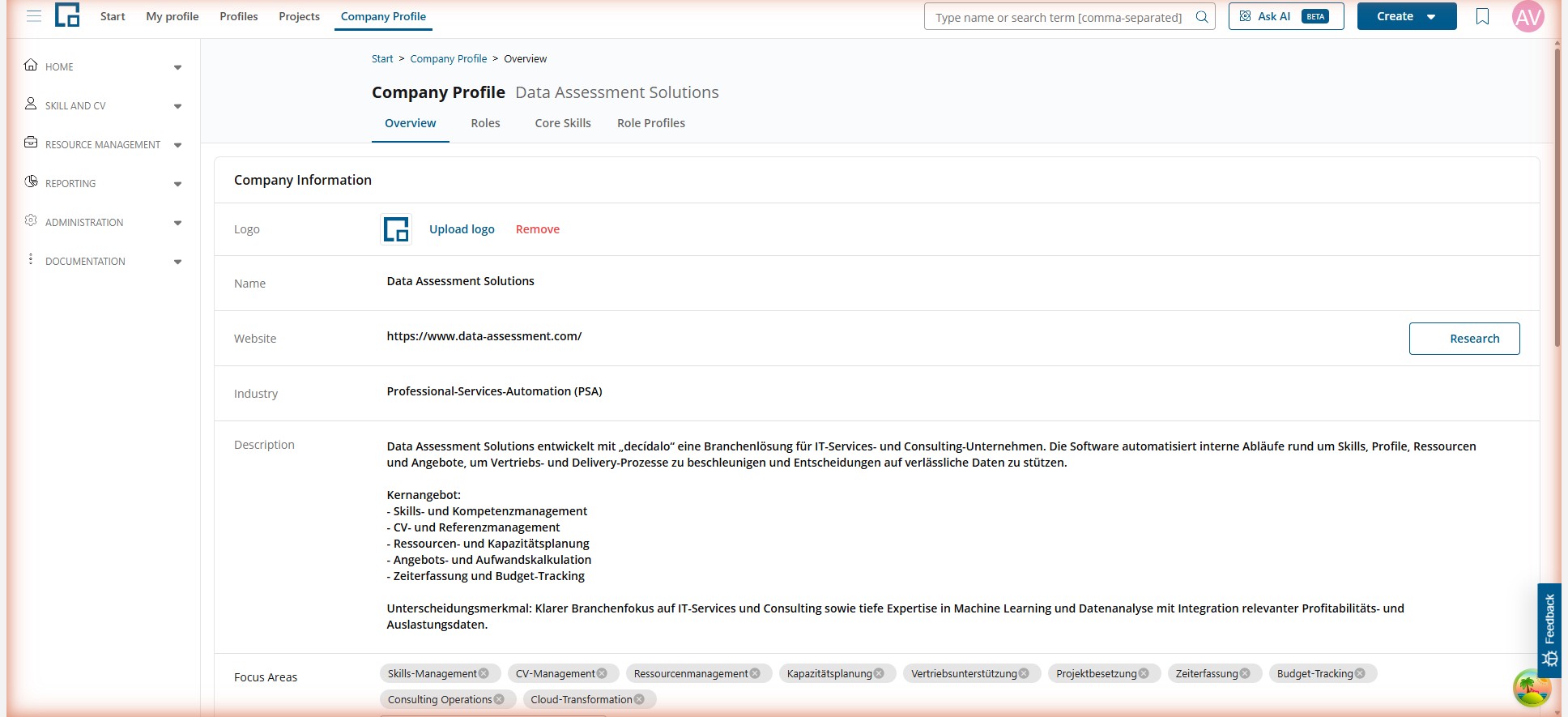
Company Information
The first section on the Overview tab displays your company's core information. All fields are inline-editable: click on any value to modify it.
| Field | Description |
|---|---|
| Logo | Upload or remove your company logo. Logos can also be retrieved automatically via web research. |
| Name | Your company's display name. |
| Website | The company website URL. This is also used as input for the web research feature. |
| Industry | The primary industry your company operates in. Fields marked with an AI badge were populated by web research. |
| Description | A detailed description of your company, its products, and services. |
| Focus Areas | Tags representing your company's key business areas. Add new tags by typing and pressing Enter. |
| Technologies | Tags for the technologies your company works with. Add new tags by typing and pressing Enter. |
| Company Size | The approximate number of employees. |
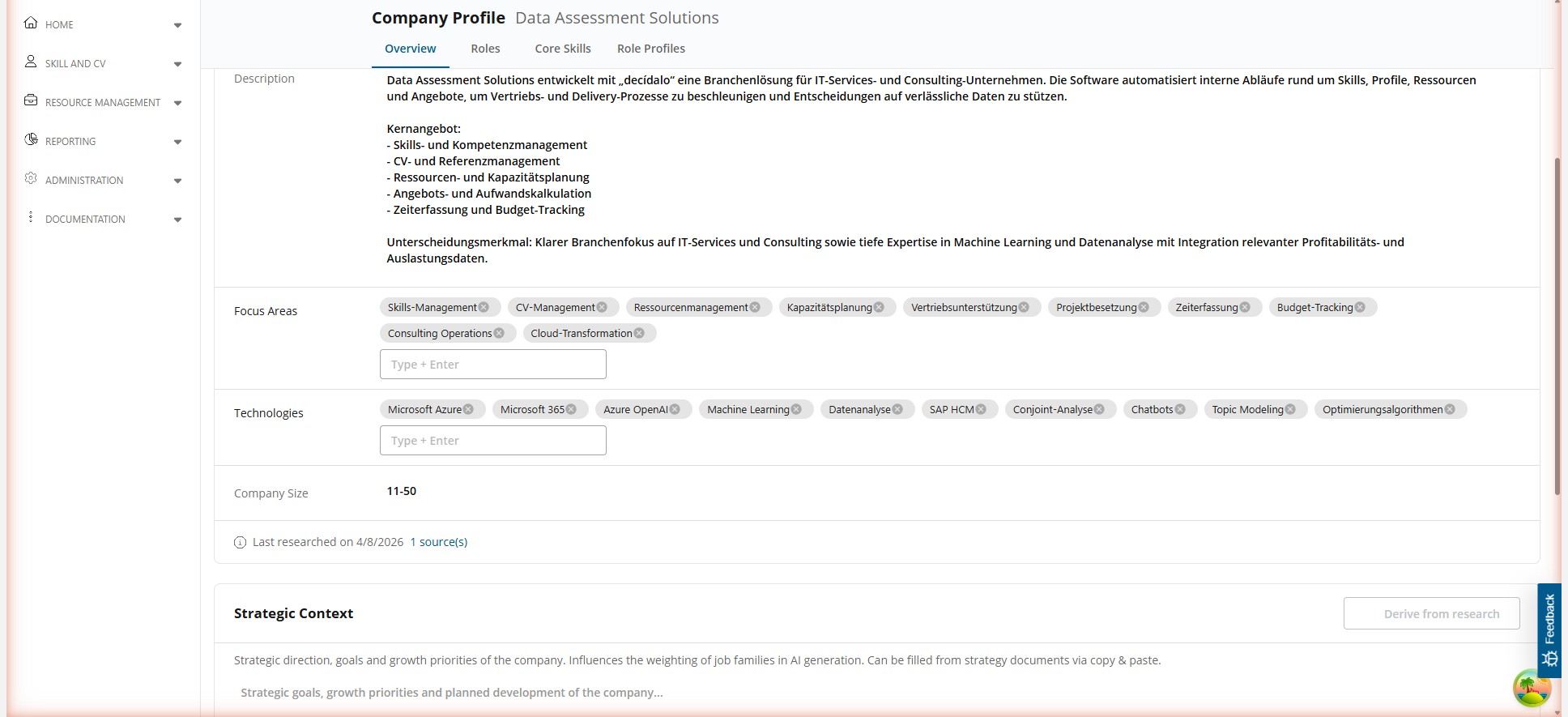
At the bottom of the Company Information section, you can see when the last web research was performed and how many sources were used.
Web Research
The web research feature automatically retrieves company information from your website and public sources. To use it:
- Ensure a website URL is entered in the Website field.
- Click the Research button next to the website URL.
- decídalo analyzes the website and retrieves information such as the company name, industry, description, focus areas, technologies, company size, and logo.
After the research completes, a comparison dialog opens showing your current values next to the newly researched values. For each field, you can:
- Accept the new value to replace your current data
- Reject the new value to keep your existing data
Click Apply to update all accepted fields. Fields that were updated via web research are marked with an AI badge to indicate their origin.
Note: Manually edited fields will show a warning when web research proposes different values. Review these carefully before accepting.
Strategic Context
The Strategic Context section allows you to provide information about your company's strategic direction, goals, and growth priorities. This text influences how AI weighs job families during the competency model generation.
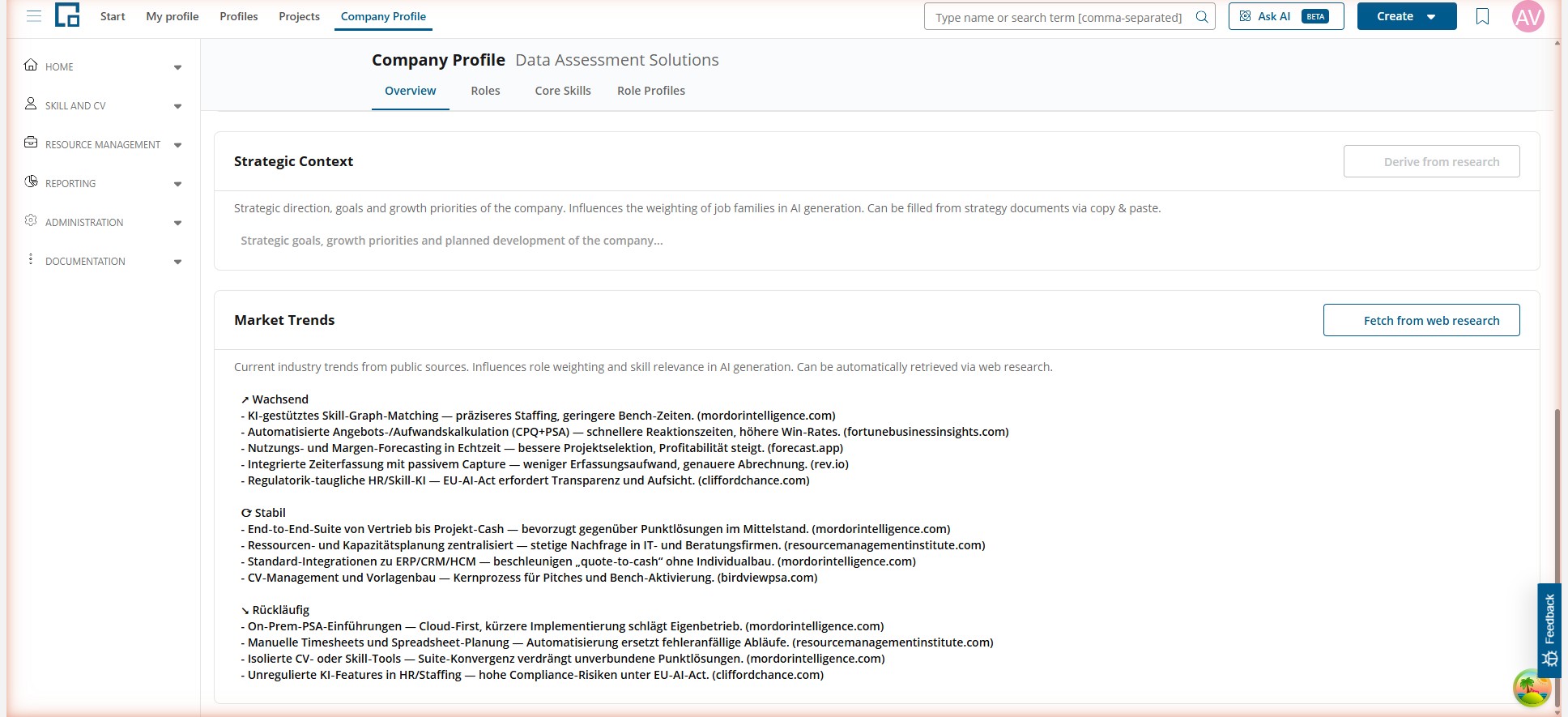
You can fill this section by:
- Copy & Paste from existing strategy documents
- Derive from Research using the button in the section header (available when web research data exists)
The more specific your strategic context, the better the AI can tailor the generated roles and skill priorities to your company's actual needs.
Market Trends
The Market Trends section captures current industry trends from public sources. These trends influence role weighting and skill relevance during AI generation.
The section displays trends categorized by direction:
- Growing: Trends gaining momentum in your industry
- Stable: Established trends with consistent demand
- Declining: Trends losing relevance
To automatically populate this section, click Fetch from web research. This button is available when an industry is set in the Company Information section.
Market trends are sourced from public industry reports and research websites. Each trend entry includes a reference to its source.
Next Steps
Once your company profile is set up, you can proceed to generate your competency model:
- Core Skills: Generate and manage your company's skill catalog
- Roles & Job Families: Generate roles organized in job families
- Role Skill Profiles: Define which skills each role requires